

|
|
|
|
|
|
This topic shows how to view the manual pay, Standard Pay # W/1 and Standard Pay # W/2 in Transaction View to confirm that Standard Pay # W/2 contains transactions for Linda Johnstone.
The Pay Sequences form appears.
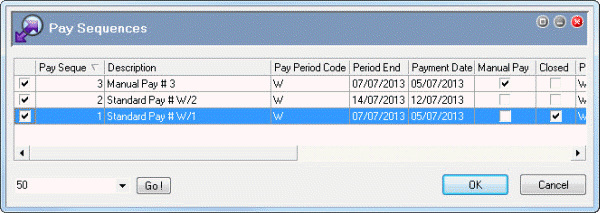
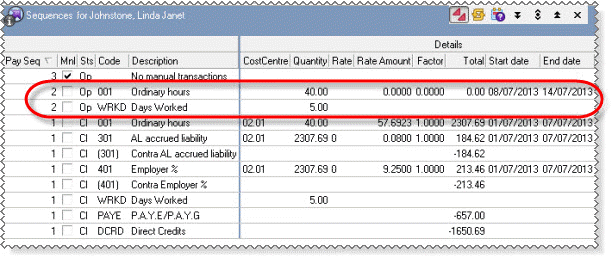
Manual Pay # 3 (Pay Seq 3):
Linda has no transactions in this manual pay.
Standard Pay # W/2 (Pay Seq 2):
Linda has the following transactions in this pay:
Linda should not have these transactions so you need to remove them from this pay.
Standard Pay # W/1 (Pay Seq 3):
This closed pay contains Linda’s final week’s pay, which has a gross value of $2,307.69.
|
|
|
 |
Topic: 39238


