|
|
|
|
|
|
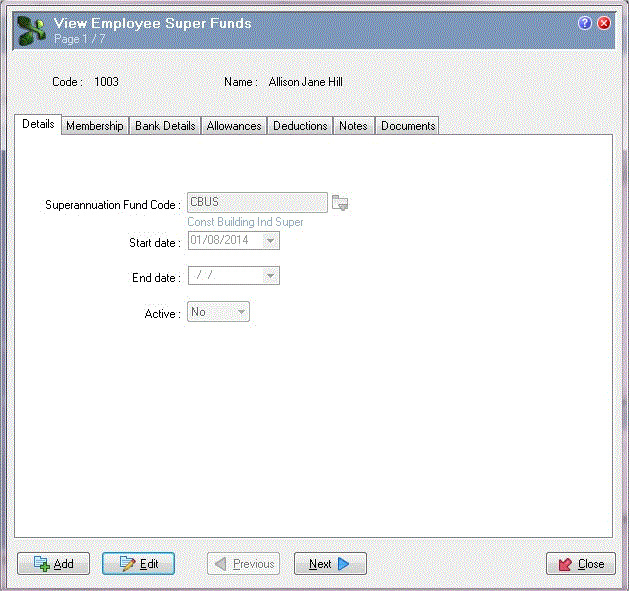
Allison Hill will make contributions to the CBUS superannuation fund from the first weekly Period PTD associated with the next Superannuation PTD (August 2014), which is period W14.06. As a result, Allison's CBUS Employee Super Fund record will start on 01/08/2014.
Enter the following data on the Details tab:
Field |
Data |
Details |
|---|---|---|
Superannuation Fund Code |
CBUS |
After you save an Employee Super Funds record, you cannot edit the Superannuation Fund Code if any transactions exist for the allowances and deductions defined in that Superannuation Fund record. If you cannot change the Superannuation Fund Code, then a Warning message appears. |
Important: You cannot save an Employee Super Funds record that has a blank Superannuation Fund Code field. |
||
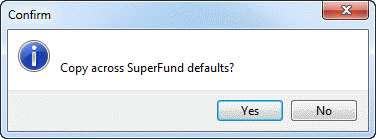
When you tab to the next field, a Confirm box appears.
Press Enter or click Yes. Exolvo copies the default Employer (%) and Employee (%) values from the Allowances and Deductions tabs in the CBUS Superannuation Fund record to Allison’s CBUS Employee Super Funds record. You can edit these values in the Employee Super Funds record. You can have many employees attached to the same Superannuation Fund, but have different contributions for each of them. If you clicked "No", then Exolvo would leave the Employee Super Funds | Employer (%) and Employee (%) fields blank. |
||
Start date |
01/08/2014 |
Date that Allison's membership of this fund begins (beginning of the pay period associated with the next Superannuation PTD). |
End date |
(Blank) |
You would enter an End date when this superannuation fund is no longer applicable for this employee. |
Important: Ensure that the Start and End dates are accurate. |
||
Active |
No |
Currently, Allison is not a member of the CBUS superannuation fund. Superannuation payroll rules will not use this Employee Super Funds record to generate transactions. |
Note: If the employee’s End date is in the past, then they should not be a current member of the fund. However, current membership is determined by the Active field not the End date field. |
||
Superannuation Fund Code
After you save an Employee Super Funds record, you cannot edit the Superannuation Fund Code if any transactions exist for the allowances and deductions defined in that Superannuation Fund record. If you cannot change the Superannuation Fund Code, then a Warning message appears.
If you attach a Superannuation Fund record to an employee and subsequently change the values in that Superannuation Fund record, then your changes will not affect the values in the Employee Super Funds record.
Important: If an employee's superannuation fund or their contribution and influence details change, then you should create a new Employee Super Fund record with the same Start date as the next Superannuation PTD. If you change these details part-way through a Superannuation PTD, then you would have to add an adjustment transaction to correct the employee's values.
Start and End dates
If you add Start and End dates, then you can use them to filter reports. For example, you could run reports for End date is empty or Start date is between x and y.
When you process a pay, if the Employee Super Funds | Start date is after the pay period start date and before or equal to the pay period end date, then Exolvo generates transactions for the Employee Super Funds record:
If the Employee Super Funds | End date is after or equal to the pay period start date and before the pay period end date, then Exolvo does not generate transactions for the Employee Super Funds record.
Current Employee Super Funds
An employee's 'current' Employee Super Funds are records in the current pay period that meet the following conditions:
Field |
Value |
Active: |
Yes |
Start date: |
(Blank) or less than or equal to pay period end date |
End date: |
(Blank) or greater than or equal to pay period end date |
|
|
|
 |
Topic: 14873