|
|
|
|
|
|
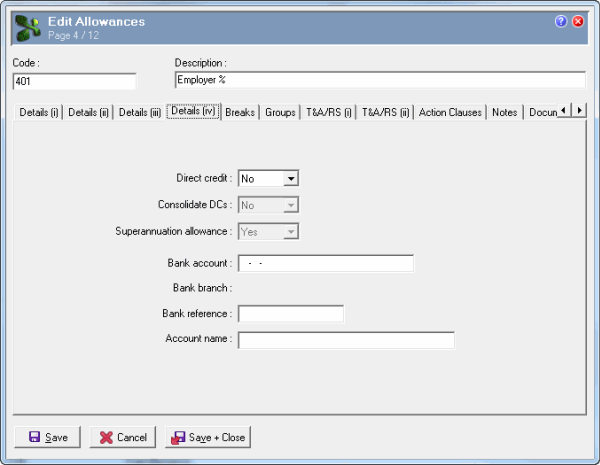
The following table explains the relevant Details (iv) tab fields:
Field |
Option |
|---|---|
Direct credit |
Enabled when Details (i) tab | Paying = "No". Yes - Allowance is included in the PGPRPRIM002 Direct Credit Schedule. No - Allowance is included in the PGPRPRIM002S Superannuation Direct Credit Schedule. |
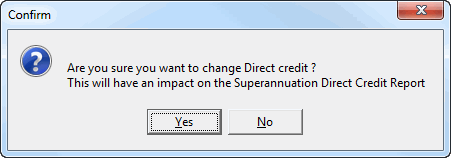
If you change the Direct credit value, then the following message appears:
Yes – Exolvo accepts the new Direct credit value. No – Exolvo returns to the original Direct credit value. |
|
Important: To ensure that Direct Credit reporting is consistent, you must use the same Direct Credit setting in all superannuation allowances and deductions; do not use a mixture of "Yes" and "No" settings. |
|
Consolidate DCs |
Enabled when Direct credit = "Yes" and Details (i) tab | Paying = "No". Yes/No field that determines whether deductions are exported as a single, consolidated transaction or as separate transactions. |
Superannuation allowance |
Automatically populated, based on the allowance type:
|
Note: If you change the Superannuation allowance field from "Yes" to "No", then Exolvo treats transactions for that A-type allowance as non-superannuation transactions. It does not look for Employee Super Funds records for those transactions even though some Employee Super Funds may use the allowance. |
|
Bank account Bank branch Bank reference Account name |
Enabled when Superannuation allowance = "Yes" or Details (i) | Paying = "No" and Details (iv) | Direct credit =“Yes”. |
Exolvo uses the same validation process for these bank details as it does for bank accounts in other areas of the product. Exolvo uses the following hierarchy to determine the default bank account that it displays on the superannuation transaction form:
|
|
|
|
|
 |
Topic: 14885