

|
|
|
|
|
|
You are on the Home Page Content page.
Note: You are now in ‘design’ mode. You must resume your own role to see the results of the changes that you make.
 for Module 1.
The Module 1 page appears.
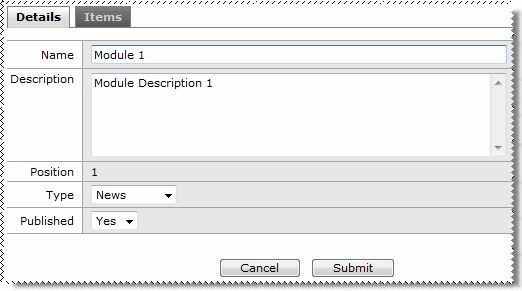
Field |
Data |
Tools and Tips |
Name* |
Company Conference |
Module heading on the home page. |
Description* |
Conference details |
Describe the purpose of the module. |
Position |
1 |
Specifies the order in which the modules are displayed. |
Type |
News |
Each module type has its own characteristics and icon. |
Published |
Yes |
Yes/No field that controls whether the module is displayed in ESS. |
Now you need to add the content of the news item.
Note: The Items tab is displayed only when the module type is: Favourites, Links, News, Tasks or Toolbox.
Field |
Data |
Tools and Tips |
Text* |
The PayGlobal conference starts at 7.30 in the morning. Click here for directions to the Holiday Inn. |
Content of the company news bulletin. |
Url |
||
|
Enter the URL where more information can be sourced. |
|
Launch in new browser |
Yes |
When a user clicks the URL, the information is displayed in a new window. |
Description |
Updated [today’s date] by [your name] |
Information about the item. |
Publish from |
Click the calendar icon and select today’s date. |
The content is displayed in ESS from the date that you select. |
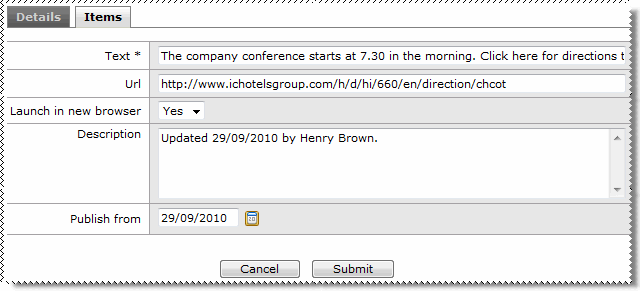
The information is displayed in the Items grid.
You have set up a Company News module; and now you will create a Tip module.
|
|
|
 |
Topic: 29334


