

|
|
|
|
|
|
When you click Add to add a new course type, the Course Type Add page appears. Use this form to save a new Course Type record to the PayGlobal database. Click the  link beside each section to attach the associated record.
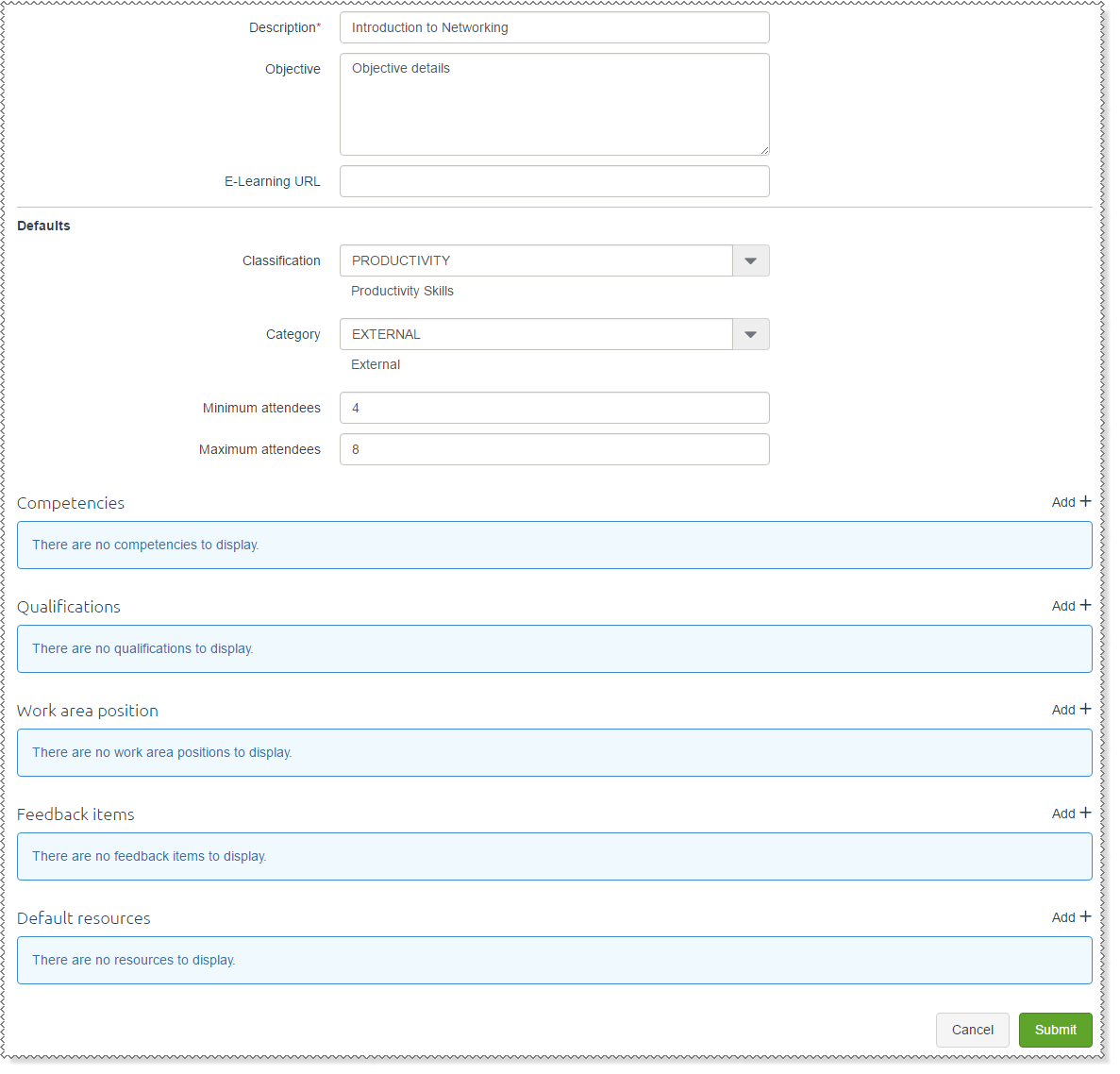
The following table explains the fields on the Course Type Add form.
Field |
Details |
Description |
The Course type description displayed in ESS. |
Objective |
You can add a description of the purpose and objectives of this course type. |
E-Learning URL |
If this type of course uses online resources, then enter the URL of the e-learning website. |
Defaults |
|
Classification |
Default course classification for this course type, such as "Productivity Skills" or "Health and Safety". |
Category |
Default course category for this course type, such as "Internal" and "External" courses. |
Minimum attendees |
Minimum number of attendees required to run this course. The course needs at least this number of attendees to be cost effective. |
Maximum attendees |
Maximum number of attendees that can attend this course. This value could be determined by the capacity of the venue or it could reflect the maximum Attendee:Instructor ratio. |
Competencies |
|
Competency* |
Select the competencies that will be addressed by this course. A competency is "the ability to perform activities within an occupation or function to the standard expected in employment". Often an employee attends a course to address a lack of competency in an area. |
Qualifications |
|
Qualification |
Select the qualifications that attendees will gain when they successfully complete this type of course. When an attendee successfully completes this type of course, PayGlobal creates Employee Qualifications records for these qualifications in the employee's record. |
Work area position |
|
Work area position |
Select the Work Area Positions (WAPs) that require training in this type of course. |
Feedback items |
|
Feedback item |
Select the feedback items that you want attendees to complete when they finish a course. Course feedback allows you to record attendees' opinions about a course. For example:
|
Default resources |
|
Resource* |
Select the resources that will be required for a course. Course Resources are equipment and materials (such as a whiteboard, a projector and a training room) that are used in this type of course. |
Quantity* |
Type the quantity of the resources required. |
Submit |
Submit the course to the PayGlobal database and return to the Course Type Admin page. |
|
|
|
 |
Topic: 32474


