On Behalf
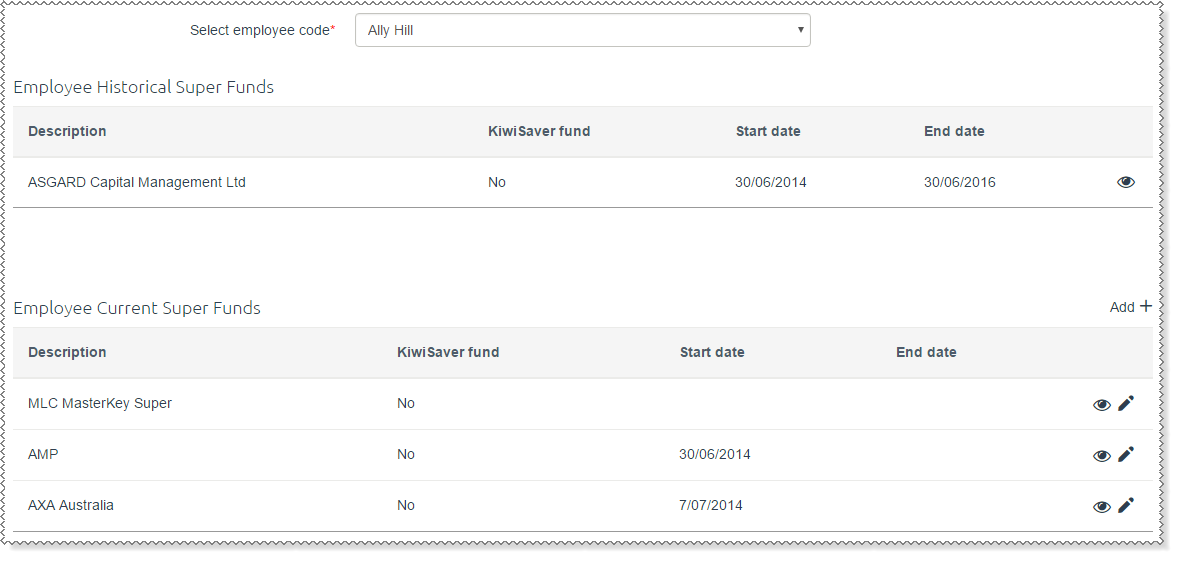
You can add or edit a super fund on an employee's behalf.
Note: You can only modify superannuation funds that have commenced. If the employee is waiting for a fund to be approved, then you cannot add or edit a fund until the current request is actioned.
To add a super fund for an employee:
- In the navigation menu, click Employee Superannuation | On Behalf.
- Select the employee that you are submitting the super fund for.
- Follow the standard process for adding a super fund (see Employee - Add Superannuation Fund).
- Click Submit.
- Approve the super fund.
When you submit a new Superannuation Fund request:
- the
 link beside the Employee Current Super Funds heading is hidden.
 - the edit icon beside current Superannuation Funds is hidden.
- a message appears: This employee has a request awaiting action by a Superannuation Administrator. You cannot add or edit a fund until you action the current request.
When you edit an employee's existing super fund and the request is approved:
- a new employee super record is created with the updated information
- the original record is end-dated (date is the day before the start date of the new employee super fund).
Topic: 37844




