

|
|
|
|
|
|
The PerformanceReviewResults report displays all performance reviews in Self-Service for the selected Review Group, and the details of each employee's performance review. This report is designed to run in Reporting Services and be exported to Microsoft Excel — report cannot be used in Self-Service. In Excel, filters can be used along with standard Excel tools to analyse the data.
To run the report:
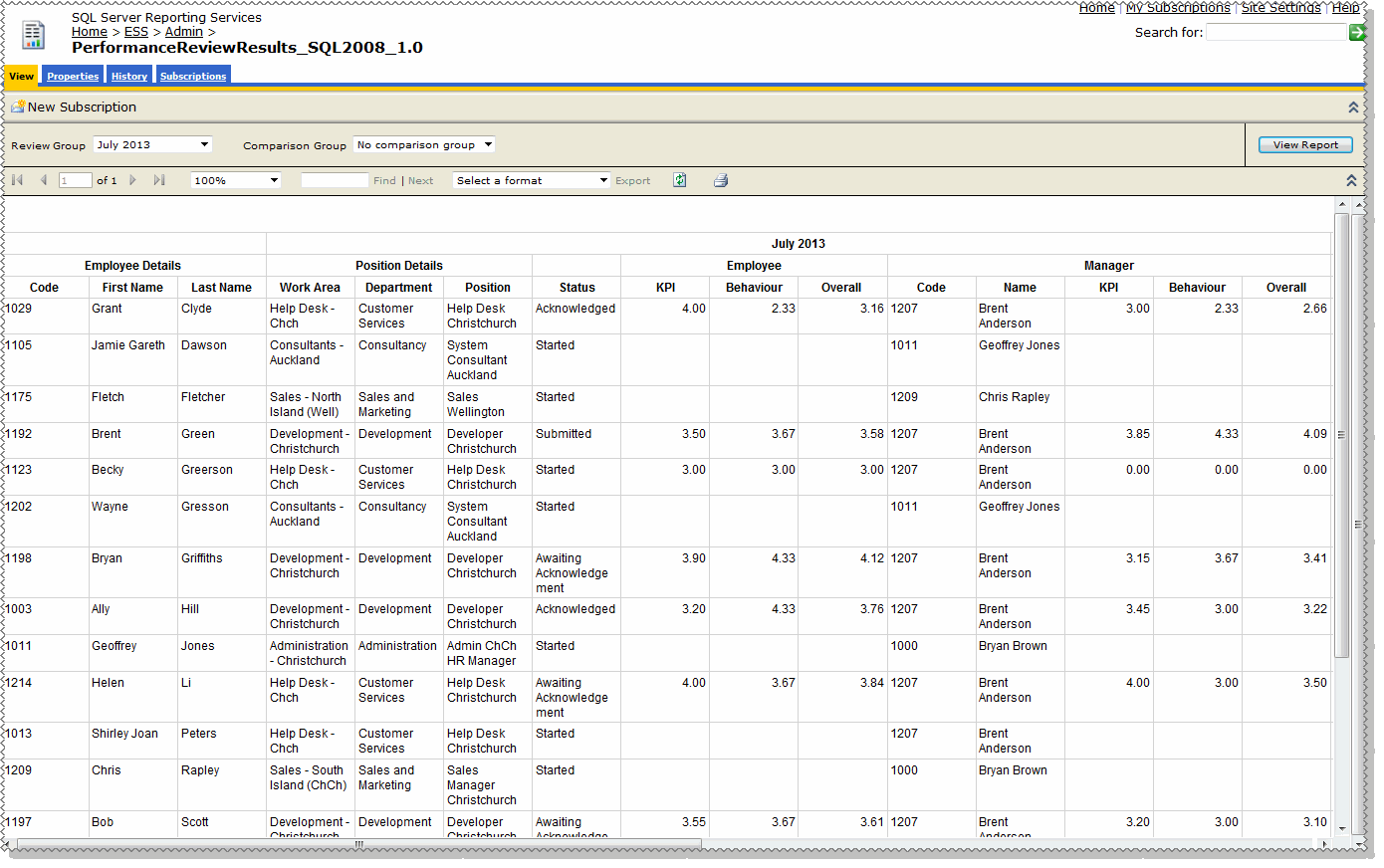
The report displays all performance reviews for the selected review group, and the details and status of each employee's performance review.
The report below shows results for one review group. If a comparison group was selected, the details would appear to the right of the the current group — starting from the Work Area column.
You can select the CSV format to open the report in Excel and then manipulate and colour the results.
|
|
|
 |
Topic: 41436


