

|
|
|
|
|
|
Use the roster page to enter the leave that you want to request.
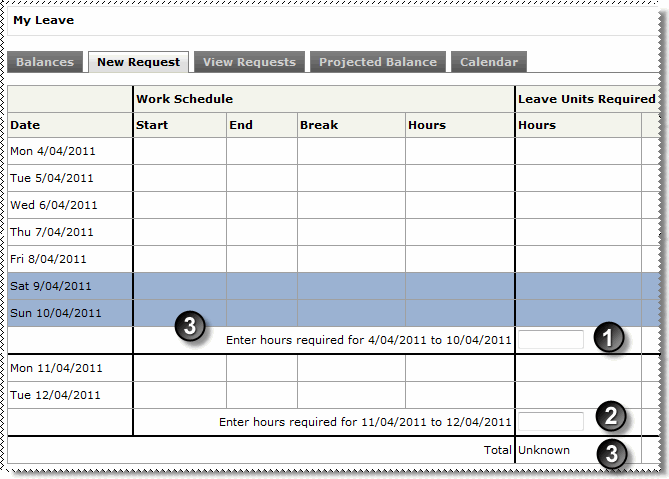
If you do not have profiled or rostered hours, then the Start, End, Break, Hours/Days/Weeks and Required columns are blank. You need to enter the units that you want to request for each pay period.
Note: The label of the Hours/Days/Weeks column is controlled by your leave table (whether your annual leave accumulates and is paid in hours, days or weeks).
The heavy black lines show the boundaries of each pay period. In the example below, the roster page shows a weekly pay period.
|
Type the number of units leave that you want to request for each pay period.
|
|
If you have applied for leave over multiple periods, then press Tab to move to the next box. |
|
When you have completed entering your units, press Tab to update the Total [Unknown] and Units required values. |
|
|
|
 |
Topic: 35804


