

|
|
|
|
|
|
You can change the order of the columns. The following example shows how to change the column order from Employee code | First names | Last name | Department Code to Employee code | Department Code | First names | Last name.
When the column header is correctly positioned, white arrows appear above and below the header.
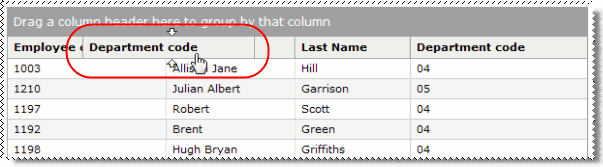
You have changed the order of the columns.
 |
Topic: 9310


