
Previous page

Next page

Appendix - Hide the "Create PayGlobal Print Queue File" Field

In the Report Destination | File Options and Transfer options tabs, if you click the Create PayGlobal Print Queue File checkbox, Exolvo will create a file that is used by the PayGlobal Print Queue application.
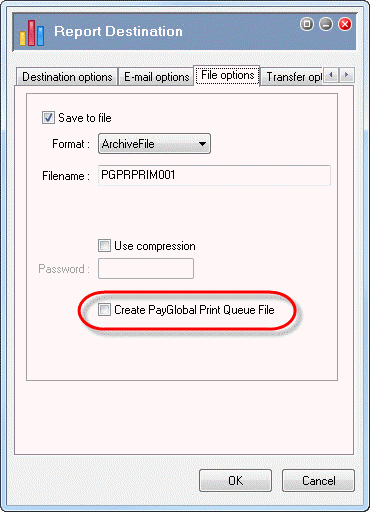
Embedded GIF File 0% Template

If you do not require the Create PayGlobal Print Queue File field, you can hide it by editing Company Settings.
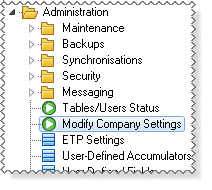
  1. In the Tree, navigate to Administration | Modify Company Settings.

    Embedded GIF File 0% Template

  2. Double-click Modify Company Settings.
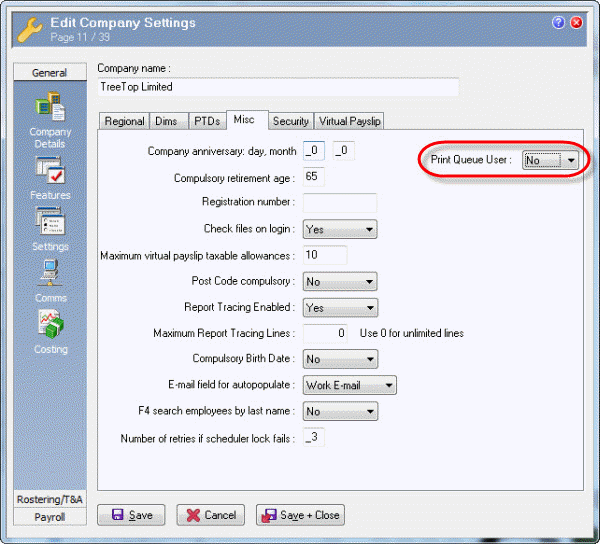
  3. Navigate to the General | Settings | Misc tab.
  4. Click in the Print Queue User field to change to Edit mode.
  5. Click No to hide the Create PayGlobal Print Queue File fields on the File Options and Transfer options tabs.

    CompSettings - Misc - Print Queue User field (NZ)

  6. Click Save + Close.

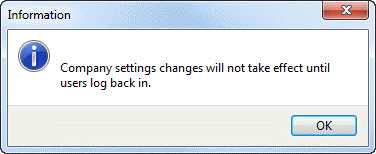
    An Information box appears.

    Embedded GIF File 0% Template

    However, you do not need to log off for this change to take effect.

  7. Click OK to return to the main window.

Previous page

Next page

Topic: 2535