

|
|
|
|
|
|
This topic shows how to run the split Australian A4 Designer Payslip and send the reports to employees.
You are on the Reports tab.
The Schedule Info form appears.
When Exolvo finishes processing, it displays the Australian A4 Designer Payslip in the PayGlobal Report Viewer. This report contains the same information as the Australian A4 Designer Payslip that you generated in Run Australian A4 Designer Payslip, it contains all employee payslips.
Exolvo saves a copy of this unsplit report to your Inbox.
Your Inbox contains a set of split reports (one for each employee in this pay) and an unsplit report.
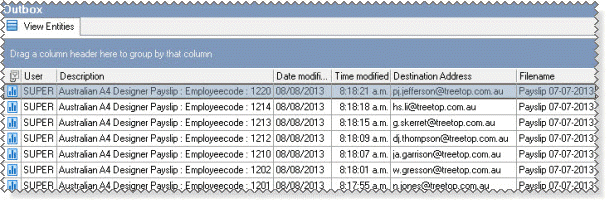
Your Outbox contains a set of split reports (one for each employee in this pay who has an email address in their Workemail field), but not the unsplit report.
Important: You must check that these split reports only contain information for that employee. For example, if the settings on the Report Splitting tab page were incorrect, then employees could receive copies of all payslips, not just their own.
|
|
|
 |
Topic: 2527


