

|
|
|
|
|
|
When you run the Direct Credit Schedule, Exolvo sends the banking text file to the Alternate Direct Credit Export Filename specified in the relevant Periods record (such as Weekly). Setting up a filename in the Periods records allows you to define period-specific names for the banking text files. If this field is empty, the report uses the Direct credit file name specified in Company Settings.
This topic shows how to check the Alternate Direct Credit Export Filename and Direct credit file name.
You are on the View Report Groups | Reports tab.
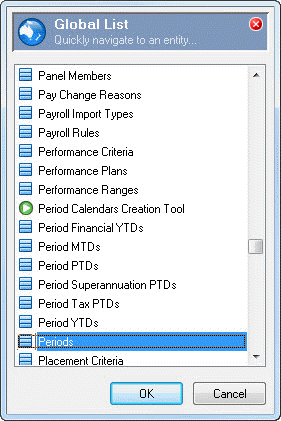
The Select Periods form appears.
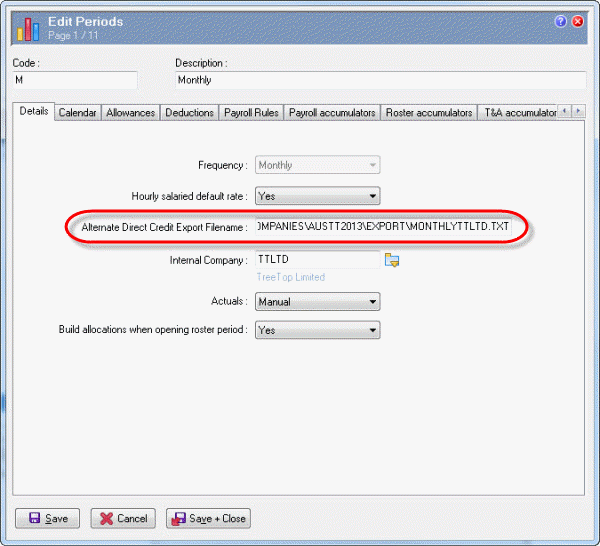
In this example the monthly Alternate Direct Credit Export Filename is:
C:\PAYGLOBAL\COMPANIES\AUSTT2013\EXPORT\MONTHLYTTLTD.TXT
In this example the weekly Alternate Direct Credit Export Filename is:
C:\PAYGLOBAL\COMPANIES\AUSTT2013\EXPORT\WEEKLYTTLTD.TXT
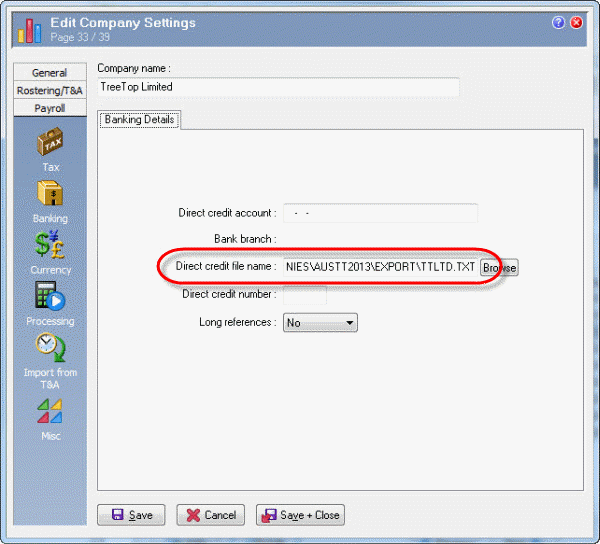
In this example the Direct credit file name is:
C:\PAYGLOBAL\COMPANIES\AUSTT2013\EXPORT\TTLTD.TXT
|
|
|
 |
Topic: 39249


