

|
|
|
|
|
|
The Company Settings | Payroll | Misc tab contains three superannuation fields.
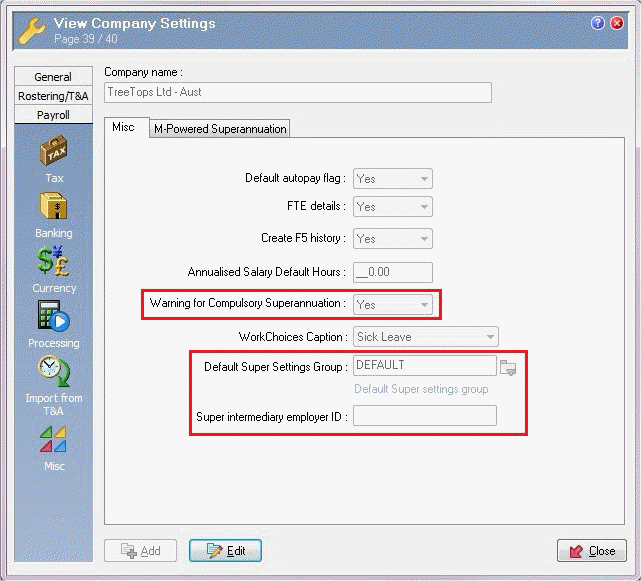
Warning for Compulsory Superannuation
This Yes/No field determines whether a message appears when you save a record for an employee who is not currently linked to an active superannuation fund.
Yes - All eligible employees must have a superannuation fund so the following message appears:
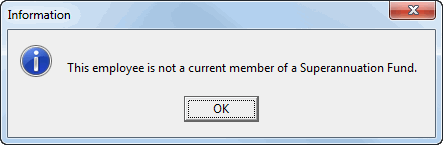
No - Company administration can determine whether the employee should have a superannuation fund so no message appears.
Default Super Settings Group
The Default Super Settings Group field defines the default superannuation settings applied to employees and it cannot be blank. If an employee is not attached to an award or if their Awards | Details tab | Super Settings Group field is blank, then Exolvo applies the current values in the Default Super Settings Group.
When you upgrade, this field is set to DEFAULT - Default Super settings group. When you create a new company database, this field is blank so when you edit Company Settings you have to enter a Super Settings Group.
Important: Do not select an award-specific Super Settings Group as the Default Super Settings Group.
Super intermediary employer ID
The identifier used by the Clearing House/Intermediary to identify the Employer. The Intermediary employer ID will be included in the Superannuation Contribution export file for some Clearing Houses.
The Company Settings | Payroll | Banking tab also contains a superannuation field.
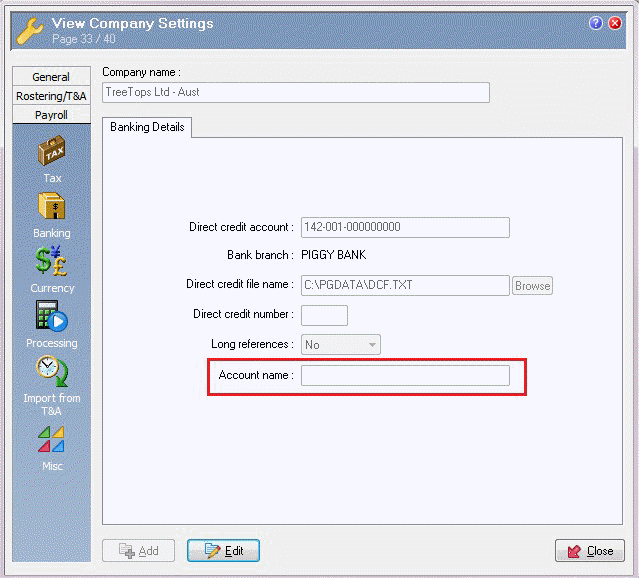
Account Name
Your company bank account name. Included in the Superannuation Contribution Export file for some Clearing Houses.
|
|
|
 |
Topic: 11262


