

|
|
|
|
|
|
When you create a transaction manually or automatically (application of rules or a permanent transaction), Exolvo must determine whether it is for superannuation.
If the allowance or deduction applies to only one active Employee Super Funds record, then Exolvo adds that Super Fund Code value to the transaction record.
If the allowance or deduction does not apply to an active Employee Super Funds record, then Exolvo leaves the Super Fund Code field blank in the transaction record.
If the allowance or deduction applies to multiple active Employee Super Funds records, then Exolvo:
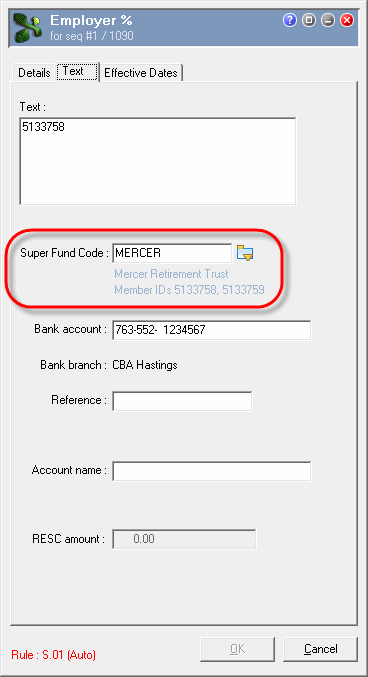
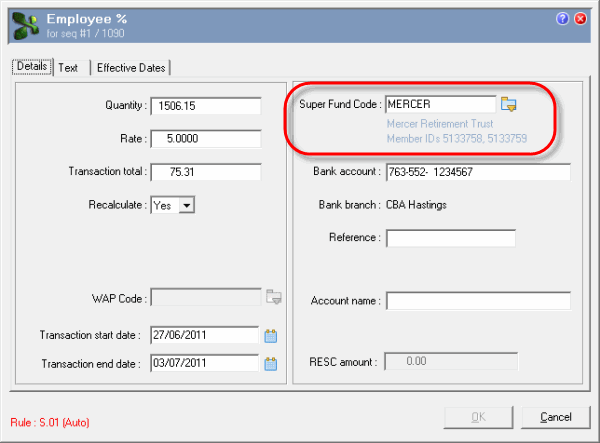
In Transaction View, you can edit the Super Fund Code field on the allowance or deduction transaction form. The Super Fund Code pick list on the form includes only superannuation funds for which the employee has an active Employee Super Funds record.
Allowance transaction form | Text tab
Deduction transaction form | Details tab
|
|
|
 |
Topic: 14867


