

|
|
|
|
|
|
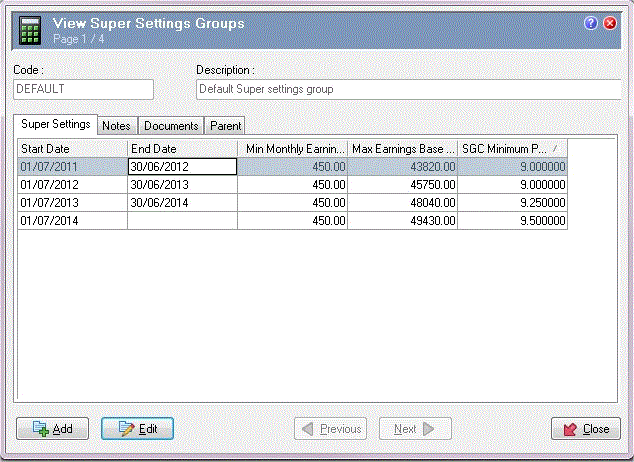
The consolidation of legacy awards into the Modern Awards structure means that some awards can provide a lower Minimum monthly earnings ($) amount than the legislated requirement. For example, the current Hospitality award has Minimum monthly earnings ($) = $350, whereas the current ATO value is $450. To accommodate such differences, the Super Settings Groups entity contains date-effective Super Settings records (formerly Superannuation Settings records).
Award-based Superannuation
If your database contains an award that specifies different superannuation values to the ATO, then you can:
When you process a pay, Exolvo applies the award-specific superannuation settings to all employees on that award.
Standard Superannuation
If the awards in your database use the same superannuation values as the ATO you need to create a default Super Settings Group record and add a current Super Settings record.
Note: Your database must contain at least one Super Settings Groups record.
To create a Super Settings Groups record:
Now you can add a Super Settings record.
 |
Topic: 32413


