Superannuation Update Tool - Update Details Process
When you decide to update the selected details, the Superannuation Update Tool does the following for each Employee Super Funds record that requires updating.
- Identifies the first non-closed pay period (Period PTD) with a Payment date on or after the Application Date.
- Identifies the employee's 'current' Employee Super Funds record.
- If the Start date of the 'current' Employee Super Funds record is within the date range of the pay period identified in Step 1, the tool simply updates the SG/Award - Employer (%) field with the new value.
- If the Start date of the 'current' Employee Super Funds record is before the Date from of the pay period identified in Step 1 or blank, the tool:
- Enters an End date that is one day before that Date from value.
- Models the 'current' Employee Super Funds record to create a new record that has a Start date equal to the Application Date, and contains the updated SG/Award - Employer (%) value.
- Creates a new record in Employee Notes.
Example
This example is based on the following values:
- Superannuation Update Tool has Current SG/Award Employer (%) Contribution = 9.25, New SG/Award Employer (%) Contribution = 9.5, and Application Date = 01/07/2014.
- First non-closed pay period (Period PTD) identified in Step 1 has Date from = 01/07/2014, Date to = 07/07/2014, and Payment date = 05/07/2014.
- 'Current' Employee Super Funds record has Start date = 15/01/2010 and End date = Blank.
When you update details, the Superannuation Update Tool does the following:
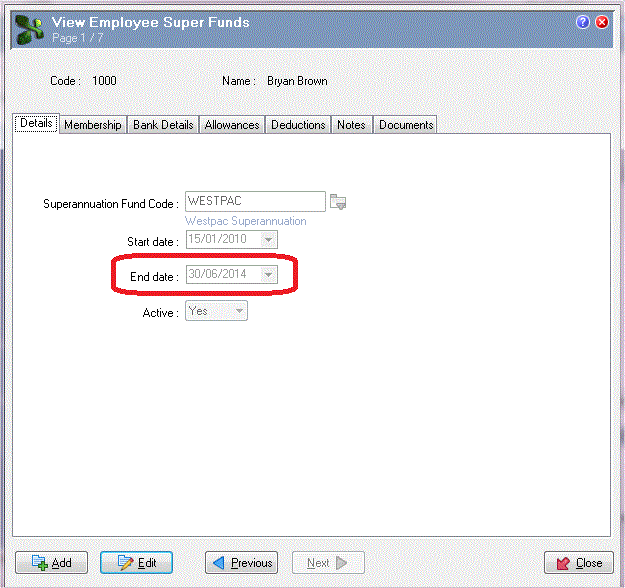
- In the 'current' Employee Super Funds record, the tool enters End date = 30/06/2014.
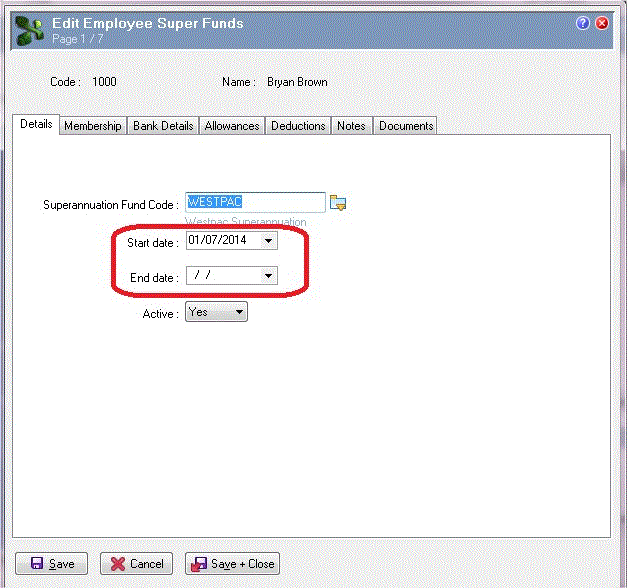
- Models the 'current' Employee Super Funds record and takes all current values from it (aside from any documents attached) and creates a new record with the following changes:
- Start date = 01/07/2014
- End date = Blank
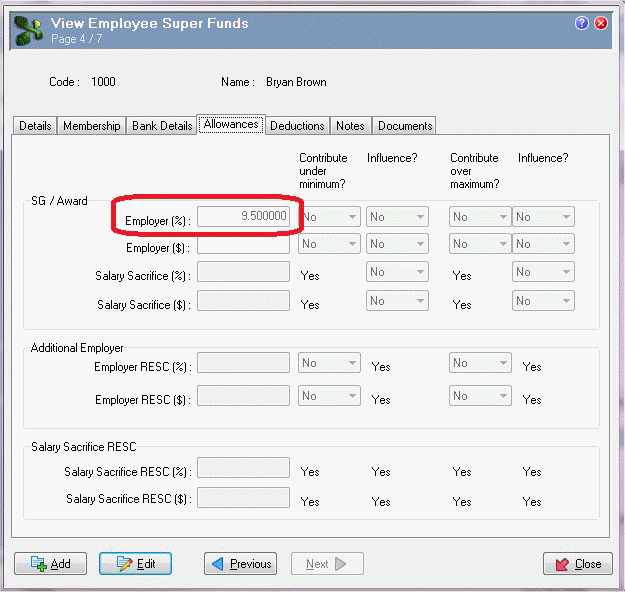
- SG/Award - Employer (%) = 9.50000.
Topic: 41141




