

|
|
|
|
|
|
You are on the main PayGlobal window.
The Exporting Actual to Payroll form appears.
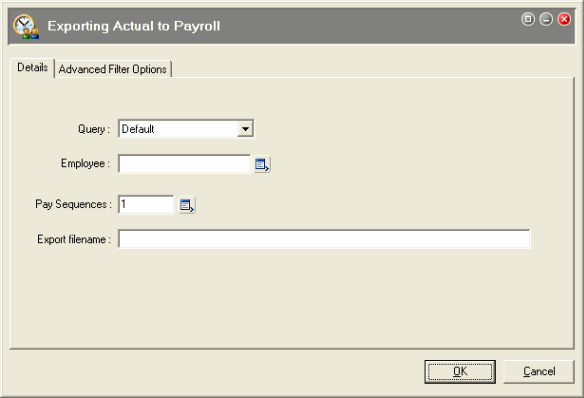
Field |
Details |
|---|---|
Query
|
You can select a query to export Actuals to payroll for a group of employees. To export all employees, select Default. |
Employee |
You can select an employee to export Actuals to payroll for one employee. To export all employees, leave this field blank. |
Pay Sequences |
In the Pay Sequences pick list, click the checkbox for the Actual pay to export and click OK. The number in the Pay Sequences field refers to the total number of pays selected, not the pay sequence number. |
Export filename |
You specified the Export file name on the Export to Payroll tab, so leave this field blank and the system will generate a file with this name. This file is imported into Payroll when you use the Import Pay run command. |
Important: Do not close the Actual period until you successfully import the file into Payroll. If a problem occurs with the export file, then you can re-export the Actuals if the Actual period is still open.
|
|
|
 |
Topic: 26386


