

|
|
|
|
|
|
Whether the green bar appears for public holidays on the leave calendar for rostered employees (Display schedule source = "Rostered") depends on the reason attached to their holiday group.
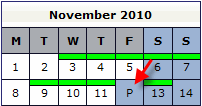
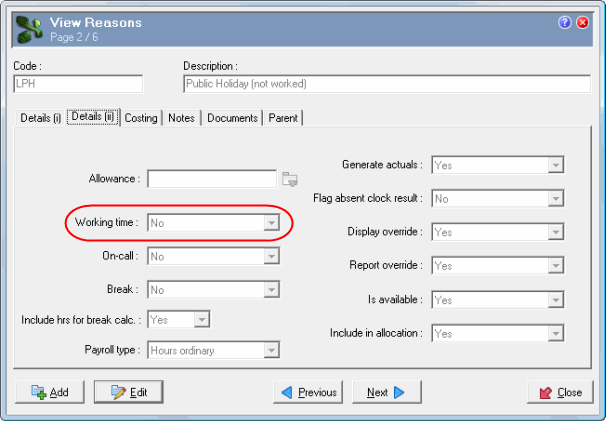
When Working time = "Yes" on the reason code attached to the employee's holiday group, the green bar appears. Use the following procedure to check an employee's holiday group:
Open the employee's record.
If Working time = "Yes, then the green bar will appear for public holidays on the leave calendar.
|
|
|
 |
Topic: 26560


