

|
|
|
|
|
|
Leave Request Settings records control:
Use the following procedure to set up Leave Request Settings records.
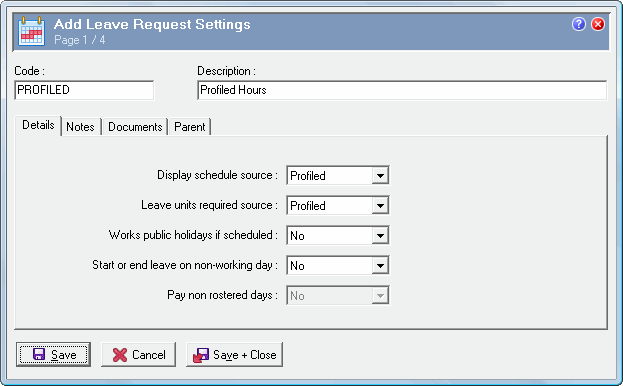
Field |
Details |
Note: For a list of valid combinations for the fields on this tab page, see Leave Request Settings Combinations. |
|
Display schedule source |
The method that ESS will use to display leave units for employees. The options are:
|
Leave units required source |
The method that ESS will use to allocate the employee's leave units to a leave request. The options are:
|
Works public holidays if scheduled |
Yes/No field that controls whether employees are expected to work on public holidays if scheduled. If Leave unit source = "None", then this field is disabled. |
Start or end leave on non-working day |
Yes/No field that controls whether employees can apply for leave on days that they are not expected to work. Yes: Employees can use this functionality to show days that they are still on leave and do not want to be called in to work. When they click the View roster link, the days they select that are non-working days are displayed with no hours against them. No: Employees can still apply for leave that spans non-working days. However, they will not be able to start or end a leave request on a non-working day. If Leave unit source = "Keyed" or "None", then this field is disabled. |
Pay non rostered days |
Yes/No field that controls whether units are applied to days that the employee is not rostered. |
Note: You cannot model these fields because modelling could potentially update a disabled record that is attached to an employee. |
|
The fields on this tab cannot be edited after the record is attached to employees.
 |
Topic: 34676


