Open User-Activity Log
Follow this procedure to open the User-activity log.
- Right-click HRSS.user-activity_x.log to see the menu.
- Click Open With | Microsoft Excel for Windows.
The HRSSUserActivity.log opens.
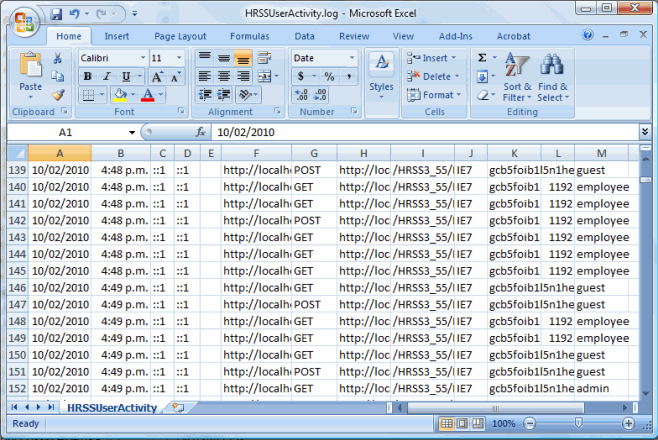
The user-activity log shows the following information:
- Date of the activity
- Time of the activity
- Client IP
- Client DNS name
- Windows logon username
- URL Referrer
- HTTP Request Type
- Request URL
- Request URL virtual path
- Client Browser type
- Session key
- Employee code
- User role.
- If you want to keep a backup of your activity log, then click File | Save As.
When you save the file, give it a name that indicates the dates in the log, such as Activity log 16-31 Mar 2010.
Topic: 29299




