

|
|
|
|
|
|
The Self-Service administrator assigns employees and/or WAPs to the ESS administration roles. These administration roles are used to action active items in the following situations:
In ESS, when a user is assigned to an administration role or they have a current delegation, the Change role section appears above the navigation menu, and the role or delegation appears as a row on the home page accordion.
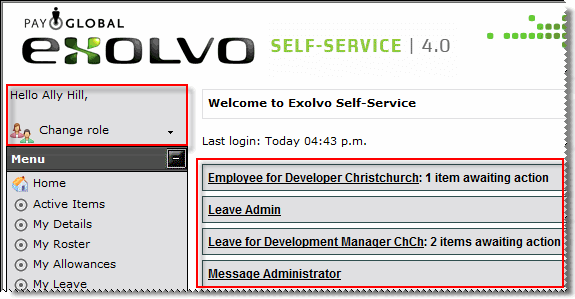
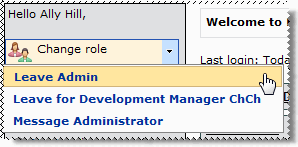
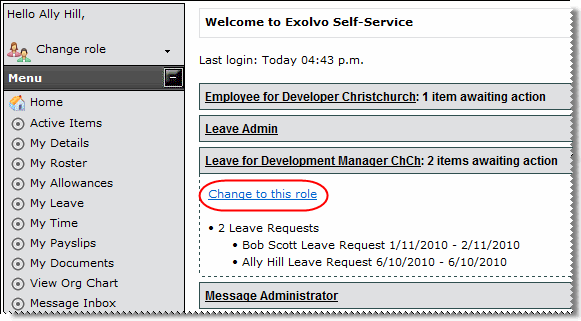
The user can use the following two methods to change roles.
Managers use Manager Options | Delegation to assign their ESS role to another employee (see Manager Options - Delegations).
Important: Ensure that the applicable workflow admin roles are assigned to employees and/or WAPs. Failure to do so may result in requests not being approved or declined.
 |
Topic: 30184


