

|
|
|
|
|
|
When an employee has multiple Leave Request Settings records, the information that the employee sees in My Leave and My Roster will change when a new record becomes active.
For example, if you add a new record with Leave unit source = "None" and a Start date in the future:
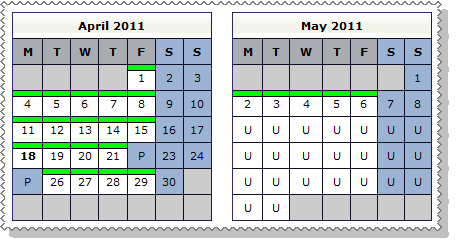
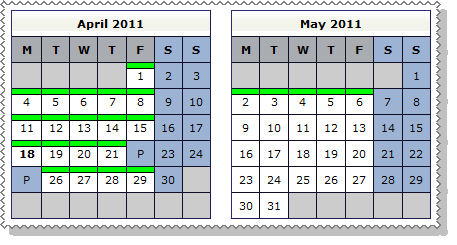
When an employee creates a new leave request that spans two Leave Request Settings records, each record displays different information (see Employee - View Roster) on the roster grid. A broken red line shows the change in setup.
For example, an employee has Leave Request Settings records with:
If the employee creates a leave request that spans these dates (28/04/2011 - 03/05/2011), then a broken red line shows the change in setup.
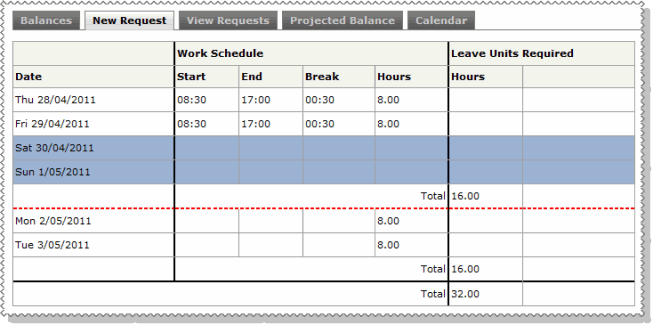
The employee must complete each section of the request relative to the applicable Leave Request Settings record.
|
|
|
 |
Topic: 29738


