

|
|
|
|
|
|
When you complete the required parameters and click Submit, the leave requests appear in the grids below the form. The Request status field controls the grids that are displayed.
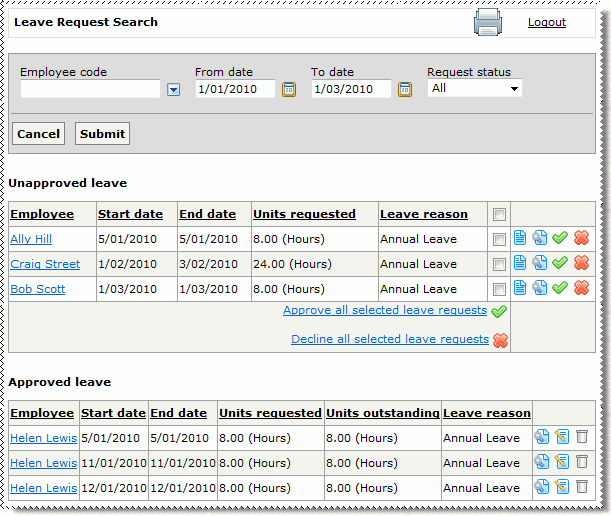
The approved leave requests that are returned respect the “DaysAfterApprovalToDisplay” setting (the same as when a manager views approved requests).
The Leave Request Search page has the following options:
|
View leave information for this employee |
|
|
View this request |
|
|
Approve this request |
|
|
Decline this request |
|
|
Click the checkboxes for the requests that you want to approve and then this link approves all selected requests. |
|
|
Click the checkboxes for the requests that you want to decline and then this link declines all selected requests. |
|
|
Edit this request. The Edit icon is hidden when:
|
|
|
Delete this request (if none of the leave request has been processed in PayGlobal). |
|
|
|
|
 |
Topic: 33744





