Update Superannuation process flows
Use the following procedure to update the Superannuation process flows to use the Superannuation Admin Workflow role that you set up.
- Open the Workflow Admin Tool.
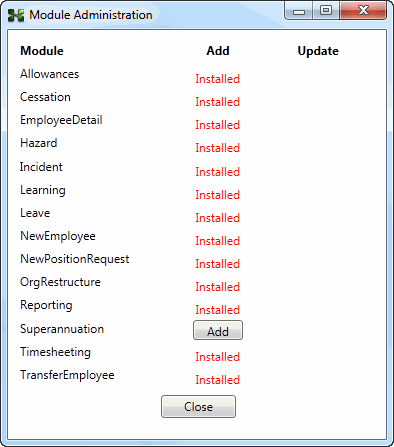
- Check that Superannuation appears in the list. If it does not, then you need to add it.
- Click File | Module Administration.
- Click the Add button.
- Open the EditEmployeeSuperFund process flow.
- Double-click the process flow to edit it.
- Scroll down to the Set status and permissions sequence, and double-click to open it.
- Locate the Assign permissions to role activity.
- In the Workflow role combo list, select Superannuation Admin.
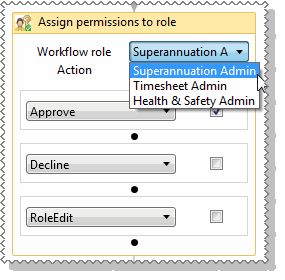
The EditEmployeeSuperFund process flow has only one Assign permissions to role activity.
- Save and Exit the EditEmployeeSuperFund process flow. In the Comment popup, note that you have changed the Assign permissions to role activity to "Superannuation Admin".
- Open the NewEmployeeSuperFund process flow.
- Repeat Steps 4 - 7. The NewEmployeeSuperFund process flow also has only one Assign permissions to role activity.
Important: If you are setting up Superannuation for an Australian customer, then you should remove all KiwiSaver fields from the form flows.
|

|

|
Topic: 37854



