|
|
|
|
|
|
Watch the Performance Admin videos. You must be connected to the internet. When you view a video, you can press Ctrl and use your mouse scroll wheel to resize the video. You should be able to see the controls at the bottom of the screen, which allow you to pause or rewind the video. |
How to set up and generate performance reviews.
|
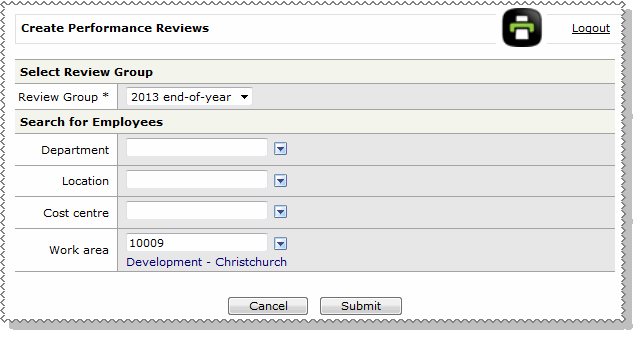
Use this page to generate performance reviews for employees. You can use the Search for Employees lookups to search for the employees that you want to create performance reviews for.
Note: Searching by Cost centre returns results only if a Work Area Position (WAP) is attached to the Cost Centre record in PayGlobal — multiple WAPs can be attached to a Cost Centre.
 icon for that employee.
To generate performance reviews for multiple employees:
Alternatively, click the top checkbox to tick all of the checkboxes and then click the checkboxes for the employees that you do not want to generate performance reviews for.
If you are generating more than 25 performance reviews, then a progress bar is displayed.
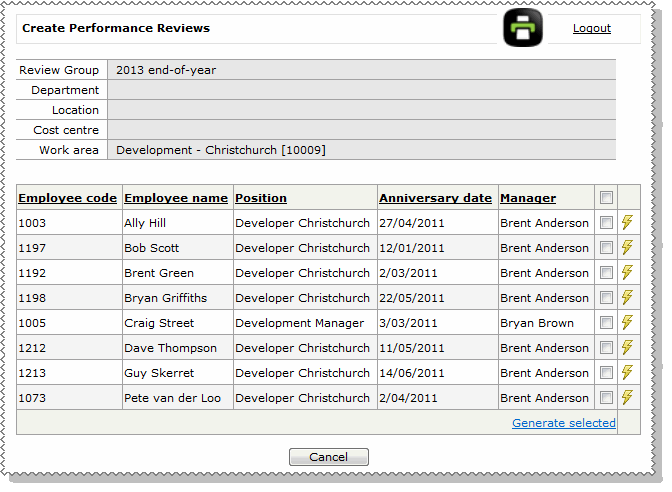
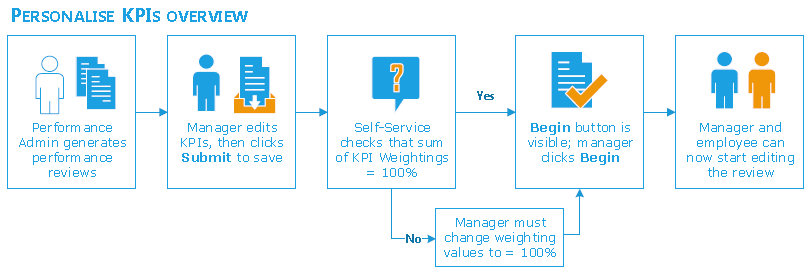
After you generate a performance review for an employee, the generate icon and checkbox are no longer visible. The employees' managers are notified by email that the reviews have been created so they need to open and prepare the reviews before employees can begin. Managers can access the reviews by clicking the Performance Review "In Preparation" links on their homepage.
Can I generate multiple performance reviews at once for an employee?
No. When you generate an employee's performance review:
 |
Topic: 41272


 Managers can edit employee KPIs process diagram