

|
|
|
|
|
|
The settings on the Fields tab control the lookups on the timesheet. If you do not add lookup fields, then the timesheet displays a blank column.
"1.Total by timesheet" timesheets display the lookups on the left of the timesheet.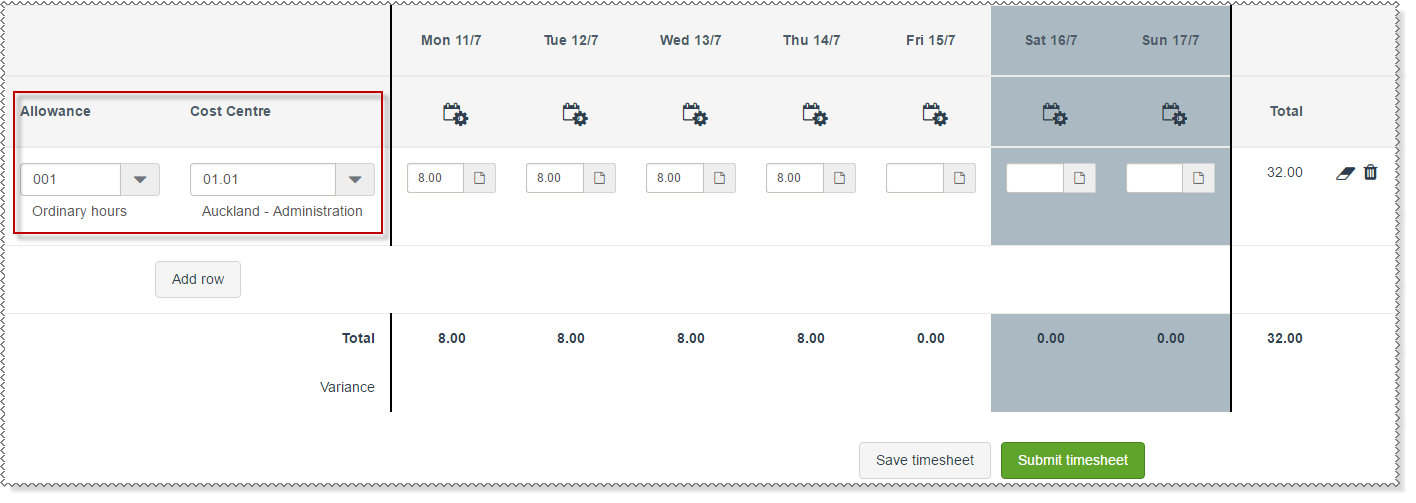
"2.Timebands by timesheet" timesheets display the lookups on the right of the timesheet.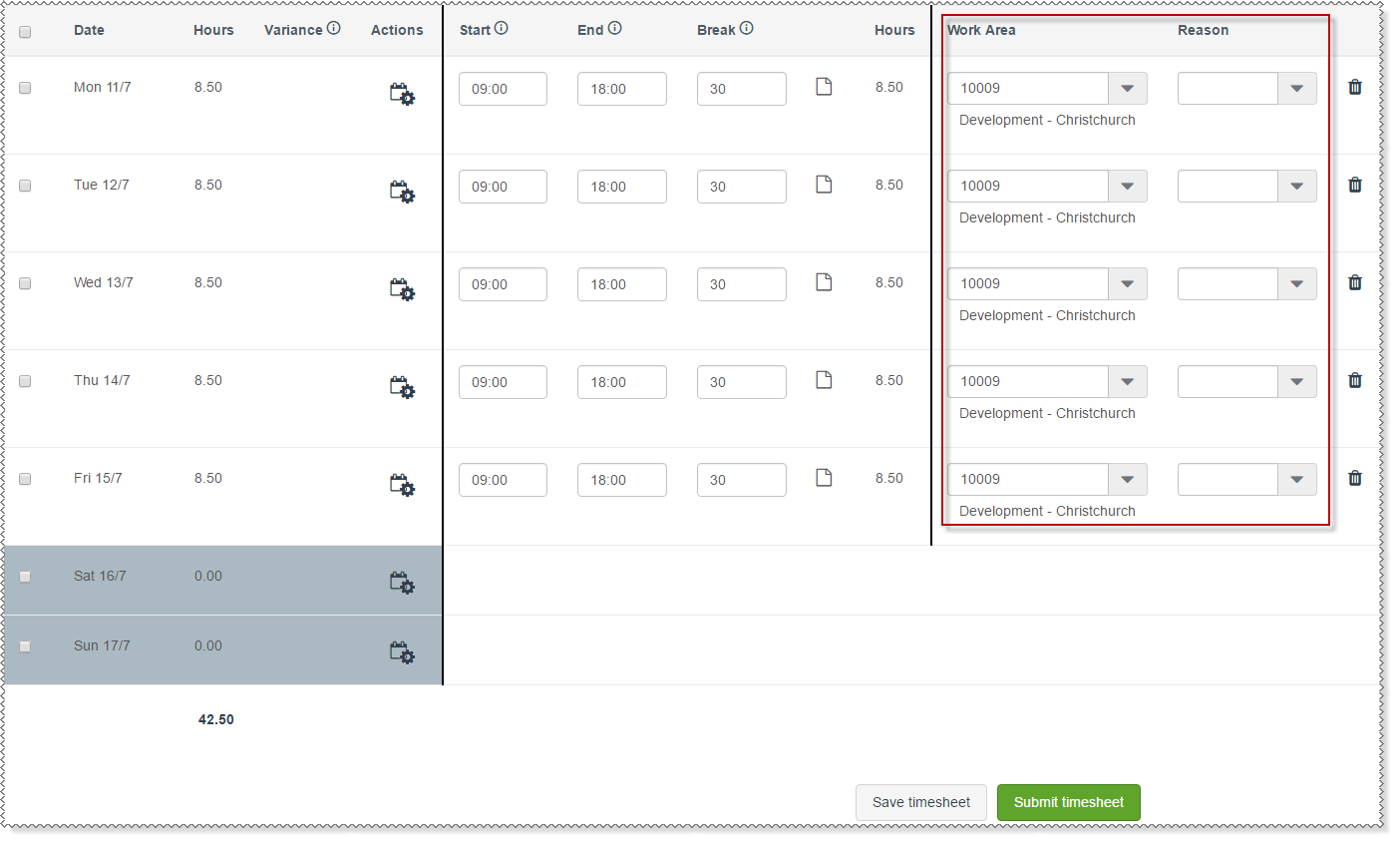
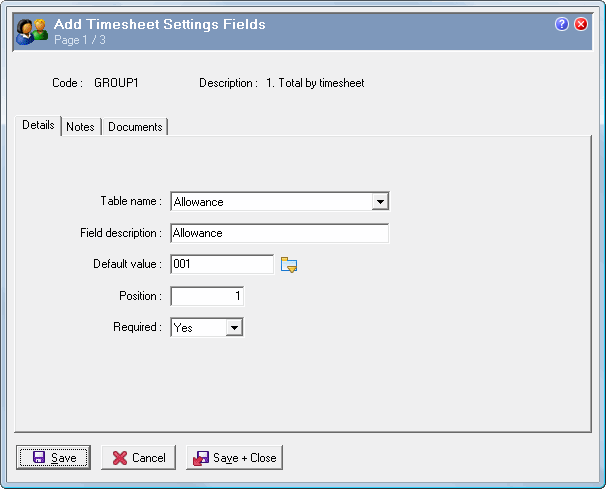
Use the following procedure to add a timesheet lookup.
Field |
Details |
Table name |
The table that the lookup will use. The options for "1. Total by timesheet" timesheets are: - Allowance - Award - CostCentre - Job - Position - Rate. The options for "2. Timebands by timesheet" timesheets are: - Award - Department - Dim 1 - 4 - Location - Position - Rate - Reason - Requirement - Shift - ShiftGroup - Task - Type 1 - 4 - WorkArea. You cannot add the same table name more than once. |
Field description |
The description that is displayed for the lookup, which defaults to the Table name. |
Default value |
The value that the lookup displays by default. |
Position |
Numerical value, which controls the order of the lookups (left to right) on the timesheet. For example, in the first image on this page, Allowance = '1' and Position = '2'. |
Required |
Controls whether the lookup is a mandatory field. |
Fields are sorted in order of the Position value.
Note: If you add more than two lookups to a timesheet, then you should check the appearance on your smallest monitor, and lowest resolution monitor to ensure that the lookups are displayed correctly.
The fields on this tab cannot be edited after the record is attached to employees.
|
|
|
 |
Topic: 8758


