

|
|
|
|
|
|
In the navigation menu, when you click View Org Chart the Organisation Chart page displays your position and all employees below you in the hierarchy.
For example, when Craig Street (the Development Manager) uses this option, he sees the following organisational chart.
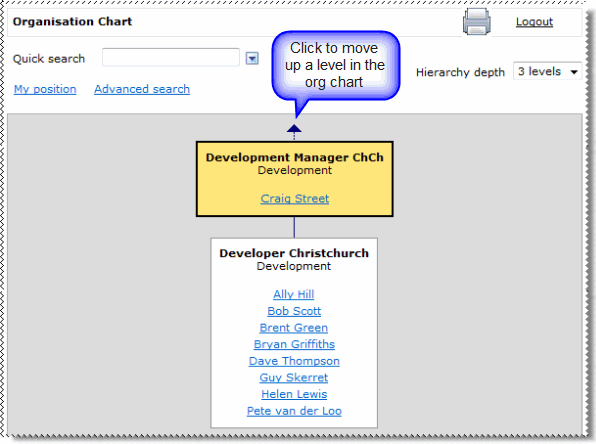
If Bob Scott used this option, then he would see only himself and the other developers that share his position.
Note: If a position has no one assigned to it, then the organisational chart displays the position as an empty box.
You have the following options:
The My position link resets the organisation chart back to your position.
|
|
|
 |
Topic: 28237


