

|
|
|
|
|
|
The following example explains how managers complete the Investigation section of an incident report.
The Incident impact and OSH Details sections of the form are active and the  link appears beside the Investigations heading.
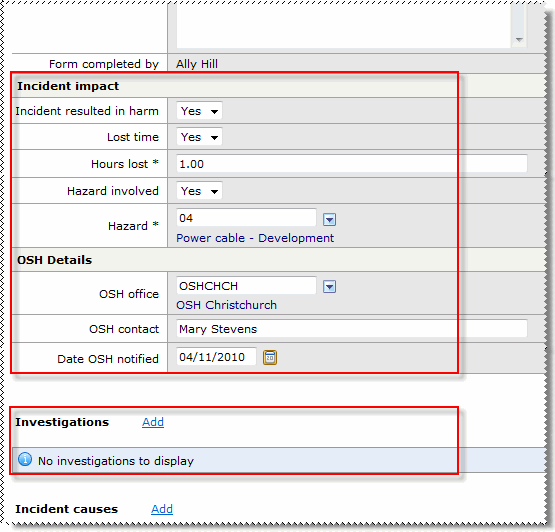
Field Name |
Description |
|---|---|
Incident Impact |
|
Incident resulted in harm |
Yes/No field that indicates whether someone was harmed as a result of the incident. |
Lost time |
Yes/No field that indicates whether time was lost as a result of the incident. |
Hours lost* |
Number of hours lost. |
Hazard involved |
Yes/No field that indicates whether a hazard was involved. When Hazard involved = "Yes", the Hazard field is visible. |
Hazard |
Visible when Hazard involved = "Yes" so you can select the Hazard record. |
OSH Details |
|
OSH Office |
OSH office that was notified of the incident. |
OSH Contact |
Name of the OSH contact handling the incident. |
Date OSH notified |
Date that OSH (Occupational Safety and Health) was notified of the incident. |
link beside the Investigations heading to open the Add Investigation form.|
|
|
 |
Topic: 30062


