

|
|
|
|
|
|
Important: You must be able to view the hazards in your work area to ensure that you do not add a hazard that already exists in the register.
The following example explains how to add a hazard to the Hazard Register.
The Hazard Register page appears.
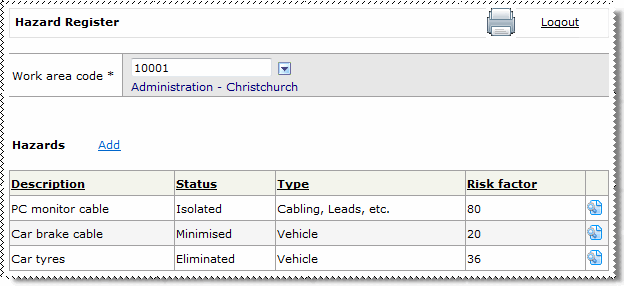
This field defaults to the Work Area of the employee who is logged on. If you select a different Work Area, then the grid is repopulated with hazards that have been recorded for that Work Area.
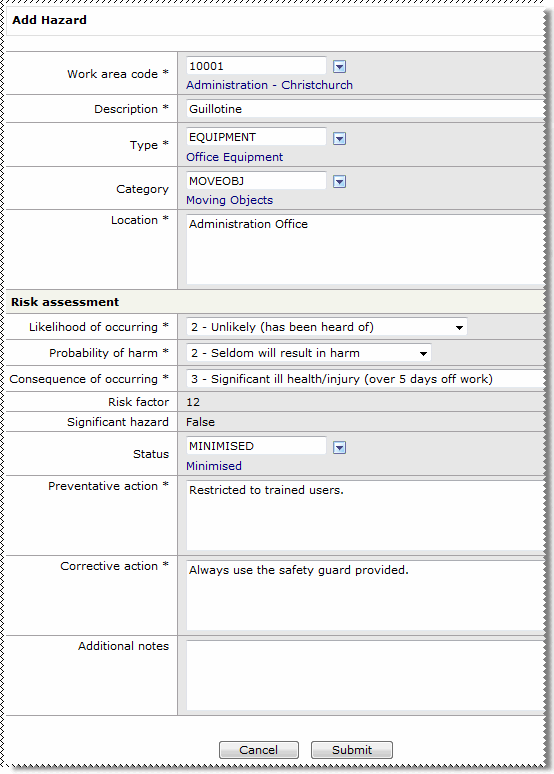
The following table explains the Add Hazard form.
Field Name |
Description |
||
|---|---|---|---|
Add Hazard |
|||
|
Work area code * |
Automatically populated with the work area code for the Work Area on the previous form. See |
|
|
Description * |
Description of the hazard. |
|
|
Type * |
Defines low-level hazard groups under hazard categories, such as “Power Tools”. |
|
|
Category |
Defines high-level groupings of hazards, such as “Electrical”. |
|
|
Location * |
Location of the hazard, such as “Reception”. |
|
Risk Assessment |
|||
Note: Your Self-Service Administrator can configure the following fields, so the options that you see may be different from those shown below. |
|||
|
Likelihood of occurring * |
Options are: |
|
|
Probability of harm * |
Options are: |
|
|
Consequence of occurring * |
Options are: |
|
|
Risk factor |
System generated. ESS calculates the Risk factor using the following calculation: |
|
|
Significant hazard |
System generated. Any hazard with a score over a specified value is considered a significant hazard. |
|
|
Status |
Current status of the hazard, such as “Isolated”, “Minimised” or “Eliminated”. |
|
|
Preventative action * |
Action that needs to be taken to reduce the risk. |
|
|
Corrective action * |
Action that needs to be taken to control the risk. |
|
|
Additional notes |
Further information about the hazard. |
|
ESS checks that the required data is entered correctly. If an element does not pass validation, then you cannot proceed. ESS redirects you to the element that did not pass validation, which is highlighted by an error message.
Does the hazard already exist? If a similar hazard already exists in the Hazard Register, then the following page appears:
a. Click the View details icon b. Click Submit to add the hazard, or click Cancel to edit the details of the hazard. |
|
|
|
 |
Topic: 31953


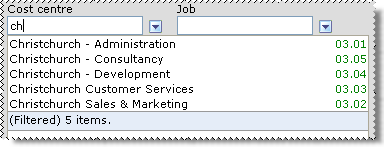
 Lookup Functionality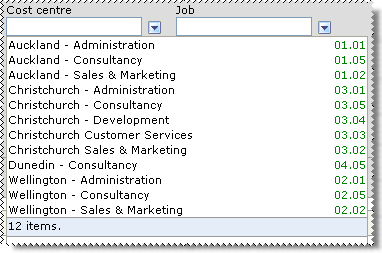
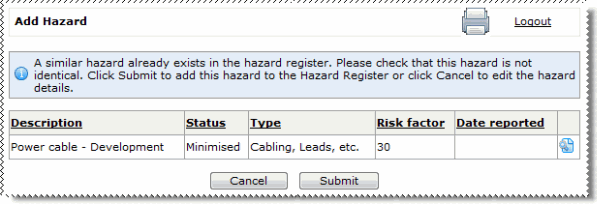
 to view full details of the hazard.