

|
|
|
|
|
|
Managers use the following procedure to approve a hazard.
Alternatively, click the Hazard link on your home page accordion.
The Hazard Details page appears. This form is the same as the Add Hazard confirmation page, except it has Edit, Approve and Decline buttons, which are visible only to users with the applicable permissions.
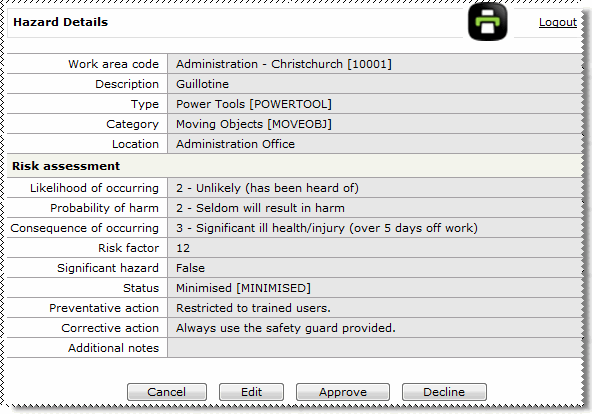
If you decline the hazard, then the Decline reason field is displayed. You cannot continue until you enter a reason for declining the hazard.
Note: You can click the Edit button to change the hazard details.
The database is updated and the employee who submitted the hazard is notified by email whether the hazard was approved or declined.
|
|
|
 |
Topic: 33421


