

|
|
|
|
|
|
You can use this section to run reports that have been set up for you.
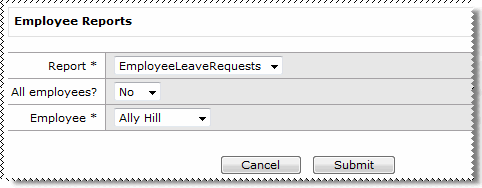
The following table explains the settings on the Employee Reports form.
Field |
Value |
Report* |
Select the report that you want to run. |
All employees? |
Yes/No field that is visible when the selected report has an "EmployeeCode" parameter. Yes: Run reports for all of your direct reports (hides the Employee field). No: Employee field is visible so you can select one employee. |
Employee* |
Visible when the selected report has an "EmployeeCode" parameter, and All employees? is set to "No". Select the required employee. |
Submit |
Click Submit to run the report. The report is displayed in the ESS web page. |
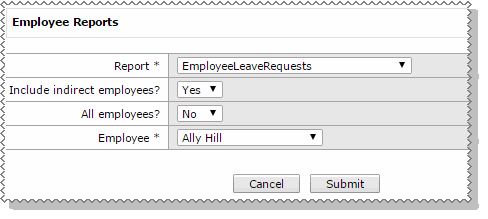
If the option for Indirect Employees has been configured, and you have indirect reports in addition to the report including an 'EmployeeCode' parameter then you will also see the following field:
Field |
Value |
Include indirect employees? |
Yes/No field that is visible when the selected report has an "EmployeeCode" parameter, and the manager has indirect reports. Yes: Run reports for all your direct and indirect employees, and displays both in the employee drop down. (Up to 20 levels of depth in the Organisational Chart) No: Run reports for only your direct employees. |
 |
Topic: 33636


