

|
|
|
|
|
|
After you click the  link beside the Investigation Actions heading, the Add Investigation Action form appears.
Field Name |
Description |
|---|---|
Action category* |
The category of the action, such as Hazard register updated or Insurance company informed. |
Action taken |
Action taken as a result of the investigation, such as Faulty equipment replaced. |
Investigation date* |
Date that the investigation took place. |
Responsibility |
Person who is responsible for the action taken. |
The Investigation Action appears in a grid at the bottom of the Add Investigation form.
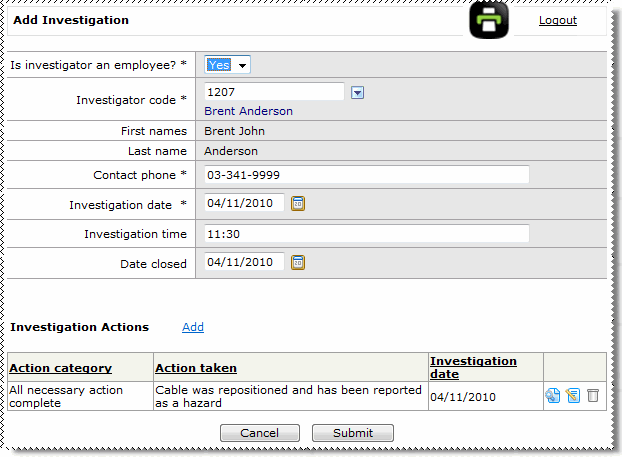
The Investigations record is displayed on the Add Incident page.
The following message appears: Workflow has been updated.
Now you can approve the incident.
|
|
|
 |
Topic: 33736


