|
|
|
|
|
|
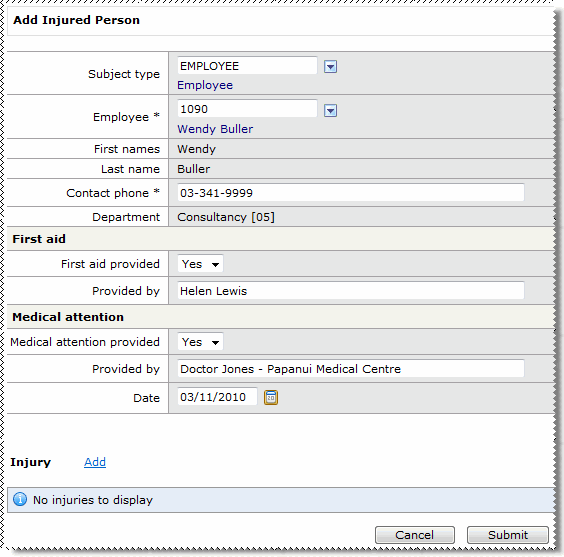
After you click the  link beside the Injured persons heading, the Add Injured Person form appears.
Field Name |
Details |
|
|---|---|---|
|
Subject type |
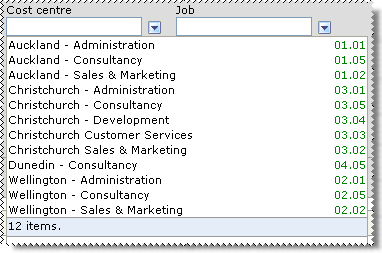
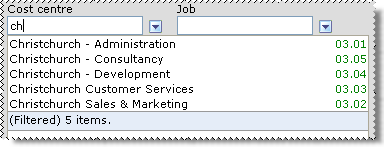
When Subject type = Employee, the Employee and Contact phone fields are active. Start typing the name of the Subject type and then click the required type in the filtered list. Alternatively, click the show options button to select the Subject type from the lookup list (see |
|
Employee* |
When you select an employee, the remaining fields are copied from their employee record. |
|
First names* |
First and last names of the injured person. |
|
Last name* |
|
|
Contact phone* |
Contact phone number for injured person. |
|
Employee department |
Department of the injured employee. Visible when Subject type = Employee. |
First Aid |
||
|
First aid provided? |
Yes/No field that indicates whether the injured person received first aid care. |
|
Provided by (First aid) |
If First aid provided = Yes, then who provided the first-aid? |
Medical attention |
||
|
Medical attention |
Yes/No field that indicates whether the injured person received medical attention. |
|
Provided by (Medical Attention) |
If Medical attention = Yes, then who provided the medical attention? |
|
Date |
Date that medical attention was provided. |
link beside Injury. If you do not want to add an injury record, then click Submit. The Injured persons record is displayed on the Add Incident page.
 |
Topic: 33929


 Lookup Functionality