

|
|
|
|
|
|
You can record the course attendance of employees who report to you.
Use the following procedure to record course attendance.
The Course Attendance form appears.
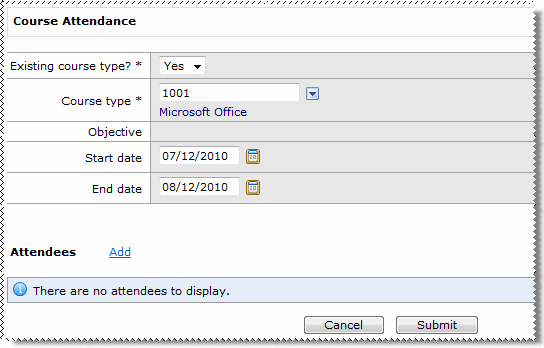
Field |
Details |
Existing course type? |
Whether the course type already exists in PayGlobal. |
Course type |
When Existing course type = Yes, select the Course type form the lookup. When Existing course type = No, type a description for the course type. |
Objective |
Active when Existing course type = No. Information about what the employee achieved from the course. |
Start date |
The date that the employee started the course. |
End date |
The date that the employee finished the course. |
 link beside the Attendees heading.
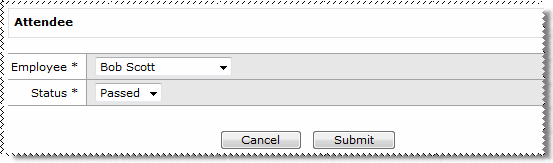
The Attendee form appears.
Outcomes
In the example above, a Microsoft Office course record is created in PayGlobal.
A course type record is the parent level record that describes a course, such as a Microsoft Office course type.
A course record is the child level record, which describes an instance of the course run on a specific date — one course type may have many courses (for the different dates the course is run).
The outcomes will be the same as above, except that a course type (parent level) record will also be created in PayGlobal. The course type record will have the name specified in the Course type field.
|
|
|
 |
Topic: 34426


