

|
|
|
|
|
|
The following example explains how to check an employee’s leave balances.
The Requests tab appears.
This page lists leave balances for all employees who report directly to you.
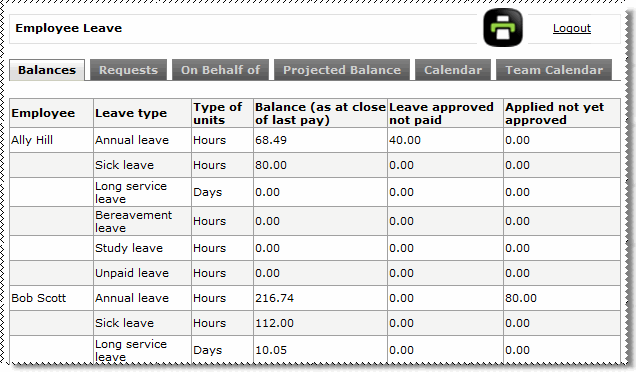
Use this page to compare the following aspects of employee leave:
 |
Topic: 35809


