

|
|
|
|
|
|
Note: Projected Balance can be used for annual leave only.
The employee must have been paid at least once before ESS can project their leave.
ESS can estimate what an employee's annual leave entitlement will be on a specific date.
For example, if an employee has applied for leave and has insufficient leave accrued, then you can check what their entitlement will be when they would be taking the leave.
ESS displays the employee's projected leave balance for the selected date and an explanation of their balance calculation.
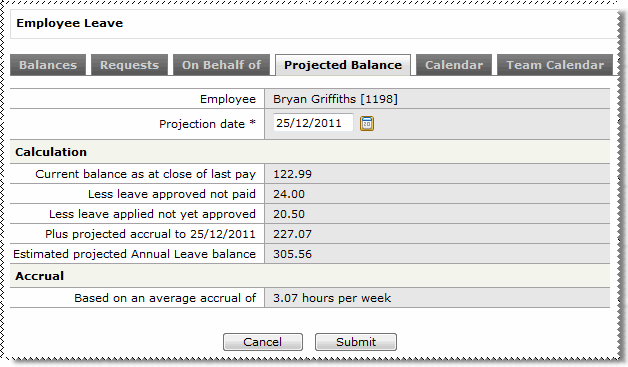
If ESS cannot project the employee's annual leave balance, then a message will advise you.
|
|
|
 |
Topic: 35810


