Decline Timesheet
Use the following procedure to decline a timesheet.
- On the Manager Timesheets calendar, click the required timesheet.
The Timesheet Details popup appears. If the timesheet is correct, then you can approve it. If the timesheet is incorrect, then you can edit it or decline it.
- To decline the timesheet, click Decline timesheet.
The Decline Timesheet popup appears.
- In the Decline reason field, enter a reason for declining the timesheet.
Note: You must enter a Decline reason or you will get an error when you attempt to submit the form.
- Click Submit.
When you decline an employee's timesheet:
- You return to the Manager Timesheets grid and the following message appears: The timesheet has been declined.
- The employee is notified by email that their timesheet was declined.
- The timesheet is reverted back to the Not-submitted state.
- When the employee views the timesheet in My Time:
- The timesheet is in the state that it was before the timesheet was approved.
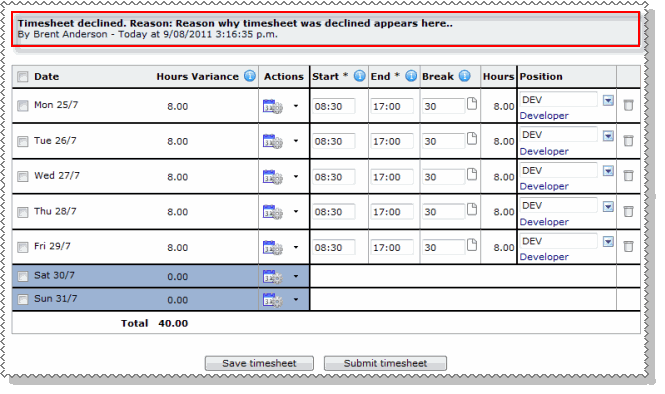
- The Decline reason that you entered is displayed above the timesheet.
Topic: 37050




