

|
|
|
|
|
|
When your manager has completed your performance review, you will both generally have a meeting to discuss it. Your manager will then submit the performance review so it is returned to you for acknowledgement.
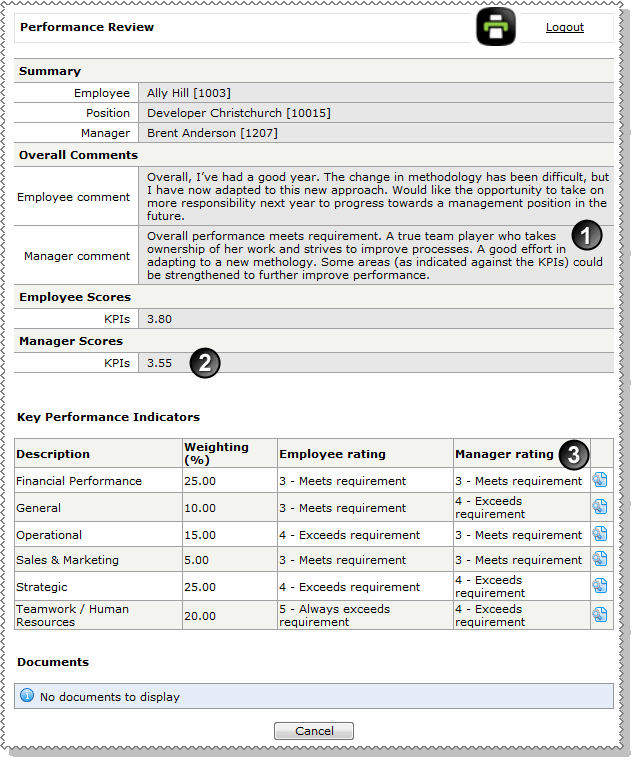
The different sections of your performance review are explained in the following table and image.
|
Managers comment: Your manager's overall comment about your performance. |
|
KPIs: This value is calculated when your manager has completed ratings for all of your KPIs. This score uses the same calculation as the employee KPIs score (see Submit performance review). |
|
Manager rating: Your manager rates your performance for each KPI. |
|
Behaviours: This value is calculated when your manager has completed ratings for all of your Behaviours. This score uses the same calculation as the employee Behaviours score (see Submit performance review). |
|
Manager rating: Your manager also rates your performance for each Behaviour. |
|
Employee Acknowledgement: You can click Edit at the bottom of the page to add a final comment. |
|
|
|
 |
Topic: 40725


