

|
|
|
|
|
|
This topic shows how to check the status of a manual pay and its accumulators.
 in the main toolbar.
Note: Alternatively, press Ctrl+Y.
The Pay Status form appears.
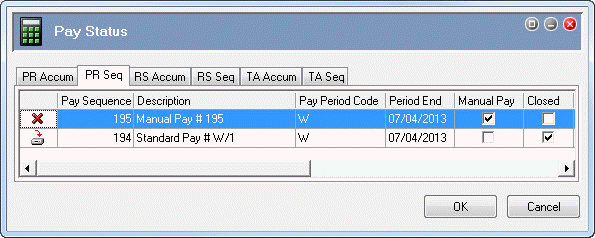
The following table explains the icons used on the PR Seq tab.
Icon |
Meaning |
|
Pay period is open. |
|
Pay period is open and processed. |
|
Pay period is closed. |
The PR Seq tab shows that Pay Sequence 195 is an open manual pay. The Manual Pay column is ticked and the Closed column is not ticked.
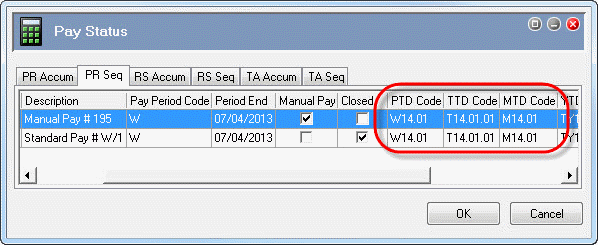
When you opened weekly Manual Pay # 195, Exolvo automatically assigned it accumulators for the most recent weekly standard pay, which is Standard Pay # W/1 in this example. As a result, you do not need to adjust the accumulators for this manual pay.
 |
Topic: 23347


