

|
|
|
|
|
|
This topic shows how to add a $100 annual bonus transaction with a tax override for Alan Fletcher. The Inland Revenue Department classes bonuses as lump sum payments, so they are taxed as extra pays. As a result, the bonus allowance has Tax override = 'Yes" and Tax override type = "E. Extra Pay".
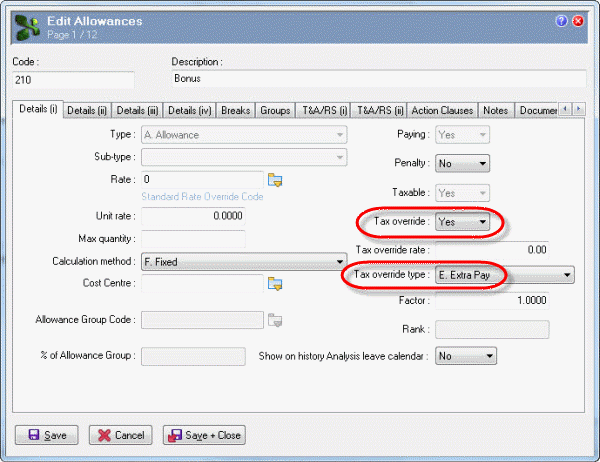
When you add the bonus transaction, you can enter tax override details to ensure that Alan is taxed at the correct rate for this irregular transaction.
The Pay Sequences form appears.
Transaction View appears for the manual pay.
Note: This example uses a customised layout and a query that displays only weekly employees. See the Transaction View Customisation manual for more details.
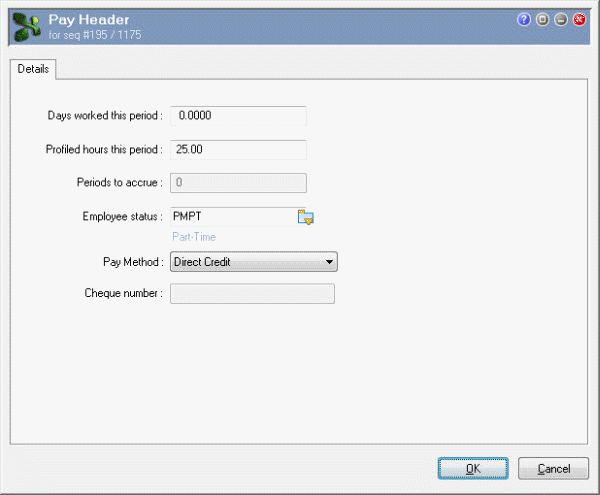
You are adding a transaction to a manual pay so the Pay Header form appears.
Field |
Value |
Details |
|---|---|---|
Days worked this period |
0.0000 |
Default value. |
Profiled hours this period |
25.00 |
Exolvo derived this default value from Alan's employee record. |
Employee status |
PMPT |
Exolvo derived this default value from Alan's employee record. |
Pay Method |
Direct Credit |
Exolvo derived this default value from Alan's employee record. |
Cheque number |
Enabled when Pay Method = "Q. Cheque". |
|
In this example, Alan has permanent transactions so a Confirm message appears.
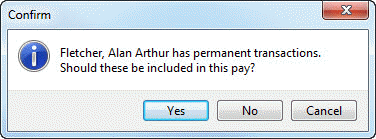
You do not want to include Alan’s permanent transactions in this manual pay.
Another Confirm message appears.
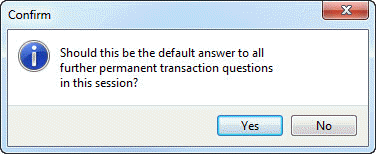
You do not want to include any permanent transactions in this manual pay.
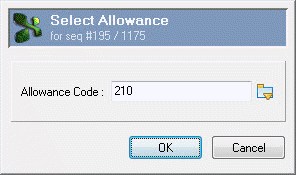
The Select Allowance box appears.
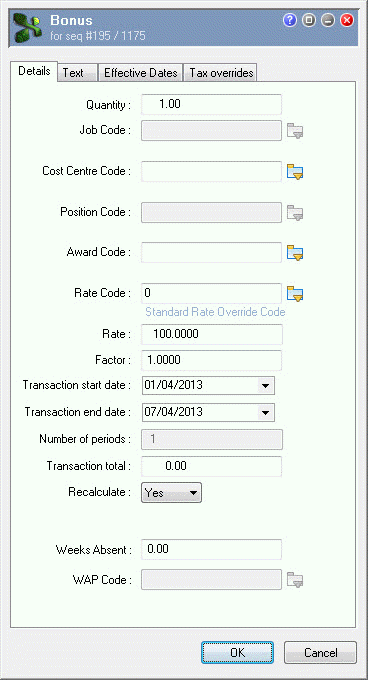
The Bonus | Details tab appears.
Field |
Value |
Details |
|---|---|---|
Quantity |
1.00 |
Default value. |
Cost Centre Code |
(Blank) |
Delete the default value. |
Important: You must remove the default Cost Centre Code otherwise you will model this cost centre to the other sales employee. When you process these transactions, Exolvo will add the correct Cost Centre Code for each employee. |
||
Rate Code |
0 |
Default rate code for this allowance. |
Rate |
100.0000 |
Bonus amount. |
Transaction start date |
01/04/2013 |
Default value is the start date of this pay sequence. |
Transaction end date |
07/04/2013 |
Default value is the end date of this pay sequence. |
Field |
Value |
Details |
|
Extra pay |
Yes |
You cannot edit this field. |
|
Override amount |
0.00 |
Default value. |
|
Override type |
Xtra Pay Calc |
Default value because Extra pay = "Yes". You cannot edit this field. |
|
Redundancy or retirement Elects to tax at higher |
No |
Default values.
|
|
Calculate grossed up amount |
Yes |
Default value. |
|
Grossed up annual amount |
You have to process the pay to calculate this value. |
||
Note: You can override the calculated gross up amount by setting Calculate grossed up amount to "No" and then manually entering your own value in the Grossed up annual amount field. |
|||
|
|
|
 |
Topic: 23352


