
Previous page

Next page

Model Bonus Transaction

This topic shows how to model Alan’s bonus transaction to the other employee in the Sales position.

You are on Alan Fletcher's employee record in Transaction View for a manual pay.

  1. Click Alan Fletcher’s Bonus transaction in the Drill Down area to select it.
  2. Press Ctrl+M.

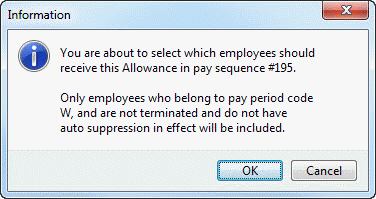
    An Information message appears.

    BonusTransactionInfo

  3. Click OK.

    The Modelling of allowances form appears. The layout of this form reflects the layout of Transaction View - Employee Details.

    First, you will group employees by Position so you can see all the Sales staff.
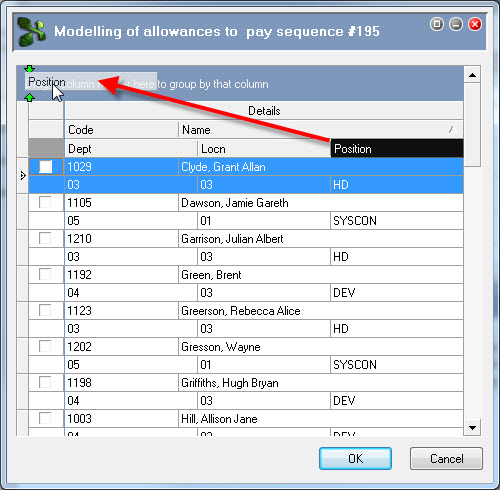
  4. Click and hold down your left mouse button on the Position header.
  5. Drag the Position header into the grouping area.

    ModelBonus-Man-GroupByPosition-NZ

  6. Release your left mouse button.

    You have grouped employees by position.

  7. Double-click the Position : SALES header or click the 'plus' button Embedded GIF File 0% Template.

    The header expands to show all Sales staff.
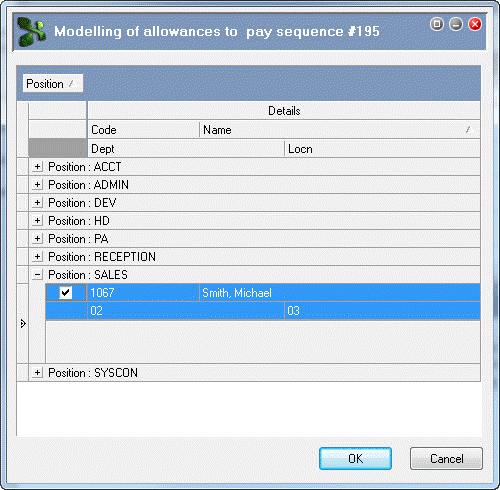
  8. Click the checkbox for 1067 – Smith, Michael.

    ModelBonus-67.gif

  9. Click OK to return to Transaction View.
  10. Press Ctrl+S to save your changes.

Topic: 23354