

|
|
|
|
|
|
The New Zealand tax year rolls over in April so Exolvo can display a tax rules prompt that gives you the option to process the first pay periods using tax rules before or from April.
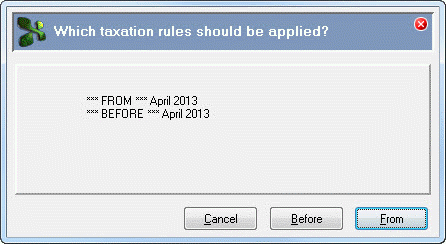
However, this tax rules prompt does not appear automatically and Exolvo applies the following default options:
If you want to manually select the tax rules and the pay has a Period End Date before 15 April, you can use the following options to display the tax rules prompt:
The processing audit log indicates whether the tax rules were applied automatically or selected, and which tax rules were used. For example:
Processing using New Zealand Tax Rules *From* April 2013
Processing using New Zealand Tax Rules *Before* April 2013
User selected New Zealand Tax Rules *From* April 2013
User selected New Zealand Tax Rules *Before* April 2013
If the pay has a Period End Date after 15 April, Exolvo automatically uses tax rules for the current tax year.
 |
Topic: 39263


