

|
|
|
|
|
|
If any employees want to make additional repayments, then you need to set up voluntary deductions with Sub-class = "Voluntary (SLBOR)" for percentage and fixed amounts.
Note: SLBOR stands for Student Loan BORrower additional deduction.
Fixed amount voluntary deductions are much more commonly used than percentage voluntary deductions.
Fixed amount
Field |
Values |
Calculation method |
F. Fixed amount |
Deduction class |
S. Student loan reduction |
Sub-class |
Voluntary (SLBOR) |
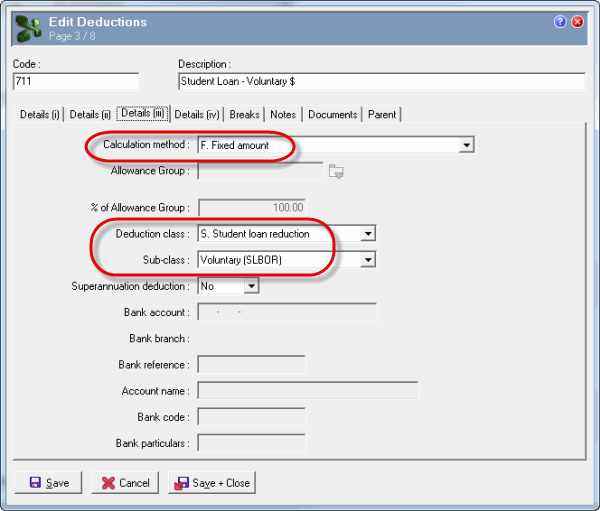
For process details, see Voluntary Fixed Process.
Percentage amount
Field |
Values |
Calculation method |
L. Student loan or P. Percentage of gross |
If you want the deduction to respect the student loan threshold for employees on a main tax code, use "L. Student loan". Otherwise use "P. Percentage of gross" to deduct the stated percentage of the employee's total gross. |
|
Important: After this deduction is included in a pay do not change the Calculation method because it will cause data integrity issues if an old pay requires auditing or reprocessing in the future. |
|
Deduction class |
S. Student loan reduction |
Sub-class |
Voluntary (SLBOR) |
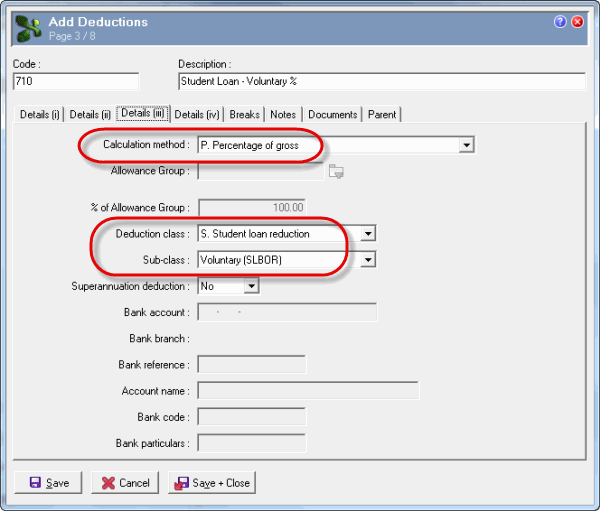
For process details, see Voluntary Percentage Process.
|
|
|
 |
Topic: 18124


