

|
|
|
|
|
|
When an employee is in arrears for payments such as tax, student loans or family tax credit overpayments, the Inland Revenue Department sends the employer a Section 157 notice. The notice tells the employer to deduct the appropriate payments from the employee's wages and explains how to calculate the required amounts.
Note: The arrears payment situation is not the same as the catch-up situation that uses a deduction with Sub-class = "Catch-up (SLCIR)".
If you receive a Section 157 notice, you need to set up an arrears payment deduction.
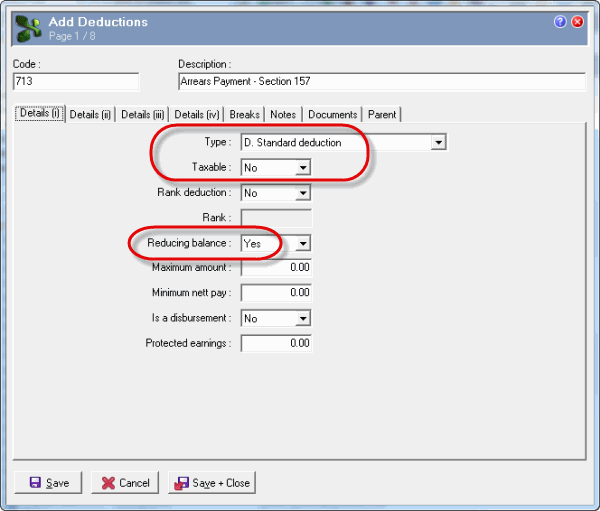
Field |
Values |
Type |
D. Standard deduction |
Taxable |
No |
Reducing balance |
Yes |
Note: If Calculation method = "A. Arrears payment", then these Details (i) tab fields must contain the above values or you will not be able to save the Deductions record. |
|
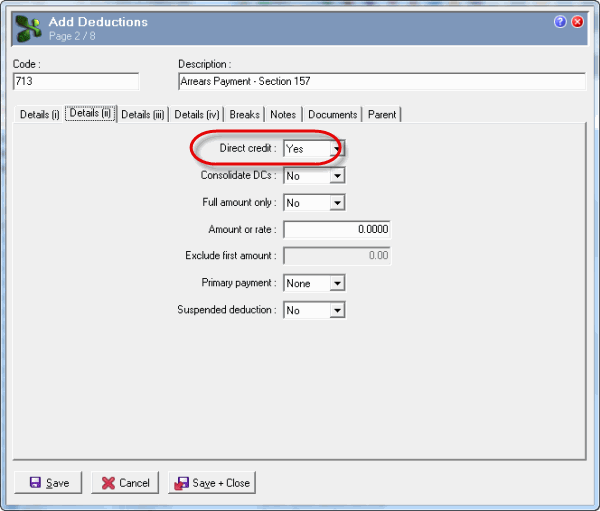
Field |
Values |
Direct credit |
Yes |
This example shows how to pay electronically. If you opt to make the payment by posting a cheque or at a bank, then set Direct credit to "No" and do not enter bank details. |
|
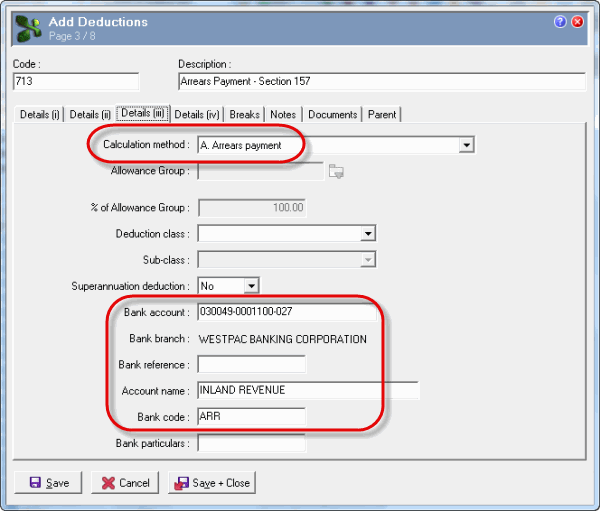
Field |
Values |
Calculation method |
A. Arrears payment |
Bank account |
030049-0001100-027 |
Account name |
INLAND REVENUE |
Bank code |
ARR |
Note: When you create the Employee Loan record, you can copy across these bank details. See Arrears Payment Process. |
|
For process details, see Arrears Payment Process.
 |
Topic: 38049


