

|
|
|
|
|
|
When an employee is in arrears for payments such as tax, student loans or family tax credit overpayments, the IRD sends the employer a Section 157 notice. The notice contains the Total Amount to Repay, and the Rate (% of Salary and Wages) that it must be repaid at. The employer needs to send the payments to the IRD by the end of each calendar month, separately from PAYE payments.
Note: The arrears payment process is not the same as the catch-up process that uses a deduction with Sub-class = "Catch-up (SLCIR)".
In this example, Brent Green owes $54.76 in student loan arrears. The IRD has sent you a Section 157 notice telling you to make weekly deductions of the lesser of $5.47 or 20% of Brent's gross wages. These deductions need to start from Brent's next pay and continue until IRD asks you to stop.
You need to set up Brent's arrears payments as a reducing balance loan.
Field |
Values |
Type |
D. Standard deduction |
Taxable |
No |
Reducing balance |
Yes |
Direct credit |
Yes |
This example shows how to pay arrears electronically. If you opt to make the payment by posting a cheque or at a bank, then set Direct credit to "No" and do not enter bank details. |
|
Calculation method |
A. Arrears payment |
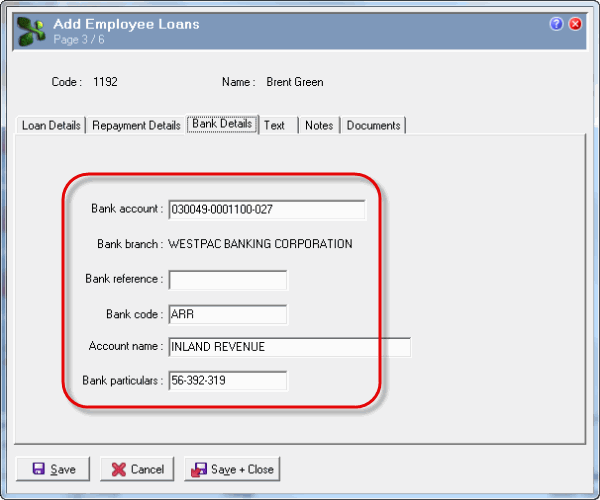
Bank account |
030049-0001100-027 |
Account name |
INLAND REVENUE |
Bank code |
ARR |
See Arrears.
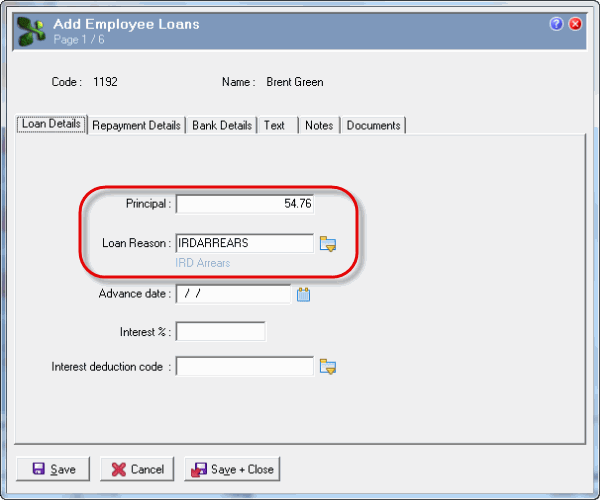
Loan Details tab
Field |
Values |
Principal |
54.76 |
Loan Reason |
IRD Arrears |
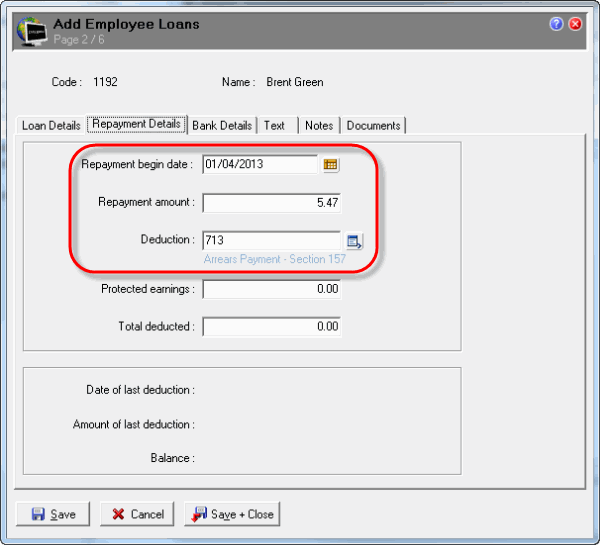
Repayment Details tab
Field |
Values |
Repayment begin date |
01/04/2013 |
Repayment amount |
5.47 |
Deduction |
Arrears payment |
When you exit the Deduction field, the following message appears:
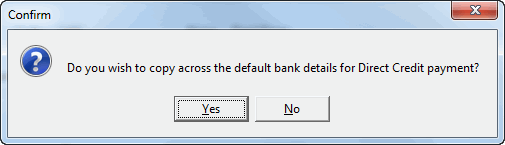
This message appears when you have changed the Deduction field to a valid, non-blank value, and the selected deduction has Direct credit = "Yes".
In addition, because Company Settings has Country = "NZ" and the deduction Calculation method = "A. Arrears payment", the employee's IRD number is copied into the Employee Loans | Bank Details tab | Bank particulars field.
When you open Brent's next pay after 01/04/2013, Exolvo creates an Arrears transaction from his Employee Loans record.

Exolvo will continue generating Brent's Arrears transactions until the Total deducted value in his loan matches the Principal value, and his loan Balance is 0.00.
If the IRD send you a notice telling you to stop payments before the employee's catch-up amount is fully paid, then you should manually change the Principal to update the Total deducted and ensure that the Balance is 0.00 so no further repayments are made.
 |
Topic: 38048


