

|
|
|
|
|
|
Logging in to PayGlobal
Overview
The HR.ini file must contain the follow switch "OnlineTaxReporting=1", for each company wishing to send STP submissions to the ATO.
Behaviour: Use cannot log on with the following message being shown:
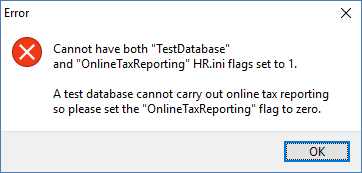
Cause: The company HR.ini file entry has both "TestDatabase=1" and "OnlineTaxReporting=1" line entries. This is incompatible with STP submissions as a submission should never be sent to the ATO from a test database.
Resolution: If this database is a test database, then set the OnlineTaxReporting line entry to zero. If this is not a test database but a production database, then remove the TestDatabase line entry for the company.
STP Start Date
Overview
The STP Start Date field controlled when an "Payer" commenced filing via STP. It caters for STP versions 1 - 3 only.
An STP start date needs to be set up on Main Company / Internal Companies before the first submission can be made.
Behaviour: STP start date field is disabled.
Cause: ABN is not entered on the company. STP submissions for the company have already been started and/or sent.
Resolution: Enter an ABN if missing. If submissions have already been started or sent to the ATO, the date cannot be changed.
Behaviour : This message appears when entering a start date earlier than 1 July 2017.
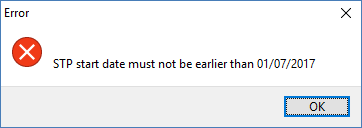
Cause: STP cannot be activated prior to 1 July 2017.
Resolution: The user must enter a date on or later than 1 July 2017.
Behaviour: When saving an STP start date, the following message (or variant) is shown:
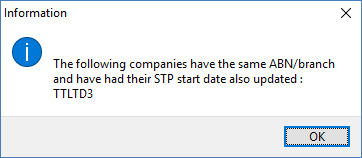
Cause: Other internal companies / main company also have the same ABN/Branch number as the company having their record saved. These companies will also have their STP start date changed in order to preserve integrity of the STP system. A unique STP payer is defined as a company having a particular ABN/branch number combination.
Resolution: None – informational only
Get System Identifier (SID)
Overview
The "Get SID" button, located on the Internal Company/Main Company form, is used to obtain a SID prior to the first ATO submission. This SID is then communicated to the ATO, linking the particular payer with the SID produced.
Behaviour: When pressing the Get SID button a message like that below appears:
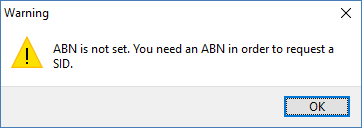
Cause: ABN is missing.
Resolution: Enter a valid ABN for the company before pressing the button.
Behaviour: When pressing the Get SID button a message like that below appears:
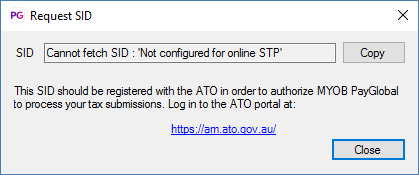
Cause: The database is not configured for on-line tax reporting i.e. the OnlineTaxReporting line entry in the company's HR.ini file is either missing or is set to zero.
Resolution: If the database is a production database, then add the line entry "OnlineTaxReporting=1" to the HR.ini file. If the database is not a production database then the Get SID action should not be performed.
Behaviour: When pressing the Get SID button a message like that below appears:
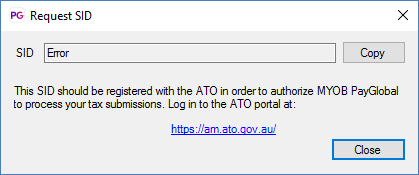
Cause: There can be a number of causes for this error. Some are:
Resolution: The latest erroryyyy_mm.txt in the company log folder should provide more details. The script "verify_stp.ps1" can be run on the client machine, which should give pointers as to what is causing the error. Often the company's IT department (or PayGlobal Online staff if the database is located there) may be needed in order to assist with connectivity issues.
 |
Topic: 44447


