Group by SuperFund
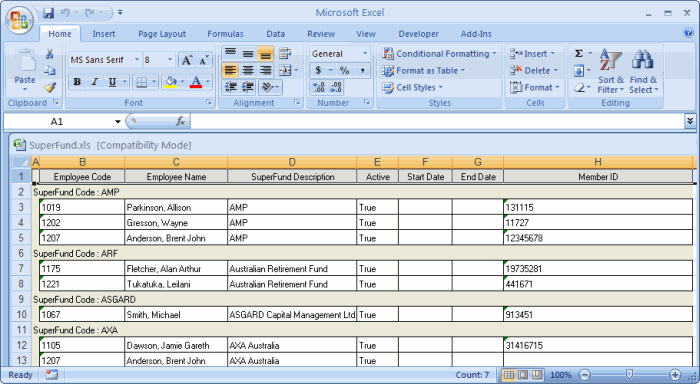
This example shows how to group the Employee Super Funds grid by SuperFund Code and save the report to Excel.
- In the customised Employee Super Funds grid, drag-and-drop the SuperFund Code header into the grouping area.
- Click the Full Expand button
 to see all records.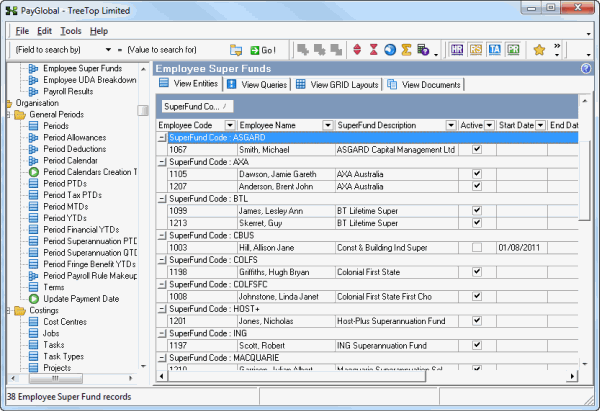
- Press Ctrl+E and save the report as an Excel file.
Topic: 11376




