

|
|
|
|
|
|
This example explains how to group the Employee Super Funds grid by Employee Code to check employees who are attached to multiple superannuation funds.
 to see all records.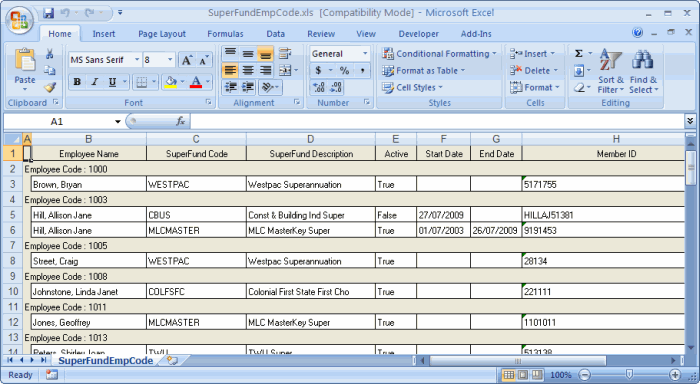
Employees could have multiple active Employee Super Funds because they are making employee contributions to other superannuation funds or changing superannuation funds in the current pay period.
 |
Topic: 11378


