

|
|
|
|
|
|
This command can import three files into the open pay period:
You are on the main PayGlobal window.
The Import Pay window appears.
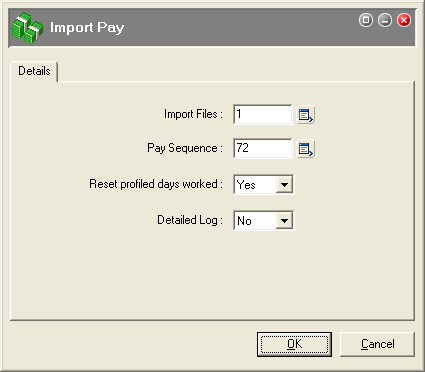
Select this option if you are importing a Days worked transaction from Rostering or Time & Attendance.
Select this option if you are importing transactions only.
When you open Transaction View, you will see that transactions were created for the imported allowance files. If you cannot see the transactions, then check that you have set up your payroll import types correctly.
 |
Topic: 33360


