Run the Employee Pay Slip Report
You are on the View Reports Groups window.
- Right-click PGPRPRIM003 – Employee Pay Slip Report to see the menu.
- Click Run selected report.
The Schedule Info window appears followed by the completed report.
- Press Esc to return to the View Report Groups | Reports tab.
- Click Close to return to the main PayGlobal window.
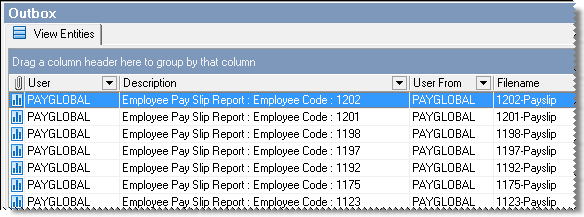
- Navigate to Local Folders | Outbox.
The Outbox contains payslip reports split by employee.
- Double-click Send and Receive.
The Send and Receive Messages box appears. PayGlobal sends the reports to the Payslips folder in Document View.
- Click the Close window icon to close the Send and Receive Messages box.
An Audit log Confirm box appears.
- Press Enter or click Yes to view the log.
- Press Esc to return to the main PayGlobal window.
Topic: 34669




